Repairing Electro-Mechanical (EM)
Coin Operated Games to 1978, Part One

by cfh@provide.net, 05/15/08.
Copyright 1998-2008, all rights reserved.

Scope.
This document is a repair guide for Electro-Mechanical (EM) coin opertated games made up to about 1978. This includes pinball games, pitch and bats (baseballs), bowlers, gun games, etc. Though pinball is stressed the most in this document, this information applies to most EM arcade games made from the 1930s to 1978. Electro-Mechanical (EM) means the game uses relays and switches, and does *not* use a computer CPU. This document is geared towards complete beginners. No experience is assumed. Basic electrical knowledge is helpful, but even that is not necessary. The document should be read "top down" and in its entirety (well, at least up to, but not necessarily including, part 4).

Updates of this document are available for no cost at http://marvin3m.com/fix.htm if you have Internet access. This document is part one of two (part two is here).

For parts, schematics, and repair sources please see the parts and repair sources web page.

Table of Contents

Why is this Document Available?
When I was first getting into fixing EM pinballs, I was amazed at the lack of any books. I was asking myself questions like, "where do you I start?", "how do I read the schematics?", amoung many others. Game manufacturere did not produce any repair manuals for EM games, which I thought was very strange. But every game was different, so it really was not possible (compared to newer solidstate games, that use the same circuit boards from game to game with just the computer ROM code being changed). Repair shops in my local area laughed at me when I asked about EM games saying, "that game is 30+ years old, we can't fix it, nobody today can!" I knew *someone* had to know how to fix these games.

EM Books and Videos Available.
After some digging, I found there were two books available. This included Russ Jensen's Pinball Troubleshooting Guide and Henk de Jager's Pinball Machine Maintenance. These books cover EM pinballs exclusively. Although these books are good, they are also long and difficult reads. Though of the two books, I personally found Russ Jensen's to be the better. Hank's book is an English translation, and was just impossible to use and read, at least for me (it's also somewhat expensive compared to Russ' $20 book).

There are also several DVD videos available on EM repair, which subscribe to the Systematic EM repair approach outlined in this document. These videos are only $8 each and are available from marvin3m.com/top

Systematic Approach to EM Repair.
I wanted to just jump in and start fixing, without all the intros and long text of the above books (yes I am impatient!) Also since I am a very systematic person by nature, I wanted some way to fix these game in a cookbook style, which neither of these books offered. Hence this document was designed with a systematic approach to EM repair, with a "get in and fix it" attitude. This document is geared towards beginners, and should be read "top down" and in its entirety (well, at least up to, but not necessarily including, part 4). All steps need to be done on the games too, nothing skipped!

How Long Does it Take to "Systematically" Fix a Typical EM Game?
I can repair most any EM pinball that has not run in many years in about one to three hours, using this systematic approach. On the other hand, using the "fix just what's broken approach" usually takes me twice as long! (And I end up having to back-track and do the systematic approach anyway.) I find that using the systematic approach given below will find and fix most of the game's problems, without having to deal with the schematics and hunting through the game like a woodchuck. The key is your power of observation, which is definately your strongest asset when fixing EM games.


1a. Getting Started: Introduction

    What is an "EM Game"?
    Electro-Mechanical (EM) games were commercial entertainment devices that were operated for money (nickels, dimes, quarters). These games work with relays, solenoids and switches. They have no silicon-based parts (for the most part), and have been around from the 1930s to about 1978. Most EMs from about 1960 to 1978 have mechanical score reels that spin, with the score printed on the reels (earlier 1947 to about 1960 games usually have no score reels, but have "lighted backbox" scoring with the point value lit on the backglass; the exception to this is 1950s multi-player pinballs, some Williams single player pinballs during 1953, and some arcade games which had score reels starting around 1954). This document applies to all types of EM games (pinballs, pitch and bat baseballs, bowlers, gun games, etc.) Electronic or Solid State games made EM games obsolete, and were released starting about 1977. These games have electronic digital displays that show no score when the game is powered off. Solid State games are not covered in this document.

    Throughout this document there is a lot of reference to Gottlieb, and Bally, Williams, Genco, and Chicago Coin less. There is a reason I do this; Gottlieb EM pinball games are considered the "most collectible". But I do cover Williams, Bally, Chicago Coin and Genco too. All these games work essentially the same, though the exact mechanisms may be slightly different.

    How About Gun Games, Bowlers, Pitch & Bat, and other EM Arcade Games?
    This document can help with *any* type of EM coin operated device. Though the emphasis is on 1947 and later flipper pinballs, all this information applies to bowlers, pitch and bat baseballs, and other EM arcade games up to about 1978.

EM Games: a Systematic Repair Approach.

    EM games are 25+ years old. This means they have seen a lot of use. Many times these game have been purchases "as is" from a basement or warehouse or barn, and they haven't been serviced in many many years. And before getting to these storage places, often the games were played to mechanical death. Fixing them usually isn't just a simple, "fix what's broken", approach. Instead I preach a more systematic approach. The end result should be a good working game that will play for years and year (I find EM games repaired in this method to be extremely reliable, much more reliable than solidstate games). This method also works well because every game is wired different. There is no common circuit board used between games (like on solidstate machines). So understanding the schematics on each game can be overwhelming, especially for someone new to EM repair. This systematic approach should limits the amount of schematic reading needed (but you should definately get the game's schematics if you don't have them).

    Probably the single biggest problem with EM games is the grease the manufacturers originally used to lubricate the "stepper" units in the game. With time this grease turns to cement, and prevents the steppers from advancing or reseting. This single problem prevents most EM games from working (or working correctly).

    Got Schematics?
    Having a schematic for a game would be ideal (but often the game can be fix without it). If there is no game schematic, order one from someone on the parts and repair sources web page. For newer 1970s EM games a operation manual is also sometimes available. It has reset info, game specific parts info, etc. Older pre-1970s EM games only have schematics available in most cases (but there are some exceptions).

    Is there a Repair Manual for my Game?
    The short answer is "no", for most EM games there are only schematics available (though starting in the 1970s many makers did offer a booklet with each game explaining some of the relays and circuits). "But I can't read the schematics, how am I supposed to fix my game?" Again if you follow the systematic approach outlined below and use your power of observation, must often you don't need the schematics to fix an EM game.

    Voltages Inside EM Games.
    Most EM games work at 24 to 50 volts for the coils. One exception was Bally during the 1970s (50 volts), and Williams. Williams used 50 volts AC for coil voltage until 1962 (Friendship7), when Williams changed to 24 volts AC. The reason? Fifty volts is potentially lethal, so Williams felt it was better to use a lower voltage. But some games (mostly Gottlieb) also use some 120 volt coils! Gottlieb's big reset coils used for reseting banks of relays and some other start relays use 120 volts. There is even 120 volts coming up to the coin door on pre-1968 Gottlieb games (Sing Along/Melody and before). Just be aware of this, and be careful!


1b. Getting Started: Necessary Tools
    Fixing EM games will require a few tools. Luckily, most are not that specialized and are easy to get.

    Non-Specialized Tools Required:

    • Work Light: I like florescent style work lights, as they don't break as easily if dropped.
    • Screwdrivers: phillips and flat head, small and medium sizes.
    • Large flathead screwdriver ("persuation" tool for locked coin doors)
    • Electric screwdriver with 1/4" drive
    • Magnetic extendable tool (Home Depot)
    • Small mirror tool (Home Depot)
    • Small flashlight (MagLite)
    • Allen wrenches, assorted sizes.
    • "T" handle allen wrenches.
    • Nut Drivers: 1/4", 5/16", 11/32"
    • Magnetic 1/4" nut driver
    • Wrenches: 3/8", 9/16", 5/8" required, other sizes suggested
    • Needle Nose Pliers
    • Hemostat
    • Right ratchet Angled Screwdriver with 1/4" bits (both phillips and flathead).
    • Drill and Drill Bits
    • Small wire brushes (Home Depot welding dept.)
    • flat bastard file (for EOS and flipper cabinet switches, amoung other things).
    • Wire cutters
    • Dremel motor tool with a cutoff wheel
    • Sharpie pen
    • 6" adjustable wrench
    • 4" adjustable wrench
    • 6" channel lock pliers
    • Super glue
    • Heat shrink tubing (assorted sizes)
    • Electrical tape
    • Nylon ties
    • Toothpicks
    • Yellow or white glue
    • Small hammer (I like a finish nail hammer)
    • Small Chisel
    • Small punch
    • Razor blades
    • Small sockets 1/4" drive (1/4", 5/16", etc)
    • A white towel (that your girlfriend/wife will not miss!)

    The white towel is useful when the playfield is tilted up, and working on the bottom of the playfield. Lay the white towel over the bottom panel of the game. If any parts fall when working on the playfield, they will be caught by the towel! (instead of rolling under the bottom panel, proceeded by searching and swearing). Don't forget to remove the towel before turning on the game!

    These non-specialized tools are stuff you probably already have, or can buy at Sears, etc.

    Specialized Tools Required:

    • Flex-Stone contact file (get several). Any good EM pinball vendor will have them. Alternatively, 400 grit sandpaper works well, folded into strips.
    • Small Metal contact file.
    • 240/400/600 Grit Wet/Dry Sandpaper or 3M Scotchbrite green pads. For cleaning stepper units, 400 Grit also works well, but I use what I have. If you're buying some sandpaper, get 400. Don't go less than 240 grit though, as it doesn't smooth things enough. Do not use steel wool (it creates a fire hazzard). The 3m green pads work really well, and last a long time.
    • Contact Adjuster. Again available from a good EM pinball vendor. Personally I don't use one, but most people find them helpful when adjusting contacts.
    • Light socket cleaning stick.
    • Rubber light bulb remover. Handy for removing bulbs you just can't reach with your fingers.
    • Palnut removal tool. Holds a playfield post in place while you remove the PAL nut or nylon locknut on top.
    • Soldering Iron. A decent Weller SP23 soldering iron (25 watts) can be had at Home Depot or Lowes for about $15. Heck Big Lots often has a 25 watt soldering iron for $4 that works great for EM games. For more exacting electronic pinball work, MCM (800-543-4330) has Tenma #21-147 adjustable temperature soldering stations ($80, but often $40 on sale) that are great for both EM and solid state work.
    • Rosin Core 60/40 Solder. This can only be bought at an electronic store like Radio Shack (hardware stores only sell 95/5 lead free solder, which won't work for EM games). Radio Shack's solder is made by Kester, and is good quality. I prefer the thinning size available (.037"), but that's me.
    • Multi-Meter. If buying one, get a digital multimeter (DMM) with an audible continuity feature. Radio Shack sells one, but I would recommend MCM Electronics (800-543-4330). The Tenma #72-4025 is the best value for your dollar ($65, but often $40 on sale). You will need one that "buzzes" for continuity, and one that does low-ohm reading well. Again the Tenma 72-4025 is what I use. If working on electronic pinballs, this DMM works great for them too. Well worth the money in my opinion.
    • Alligator clips with wires. Available at Radio Shack. These are useful for quickly jumpering contacts and lamps. Get the longest length they sell (usually 12 or 18 inches).

    Circuit breaker.
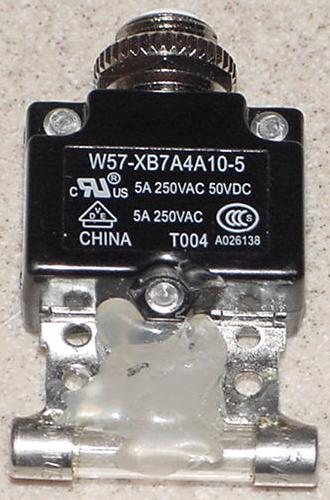
    When diagnosing an EM that always blows a fuse, using a circuit breaker instead of a fuse is mandatory! (Unless you like spending extra money on fuses.) I make a breaker easy-to-use by soldering a blown fuse to a small PC board circuit breaker. Breakers are available from lots of places like Mouser part# 655-W57-XB7A4A10-5 (Tyco 5amp breaker) and 655-W57-XB7A4A10-10 (Tyco 10amp breaker). I like the Tyco W57-XB7A4A10-5 as it's a good quality and size, with a low $2 price. The Tyco breakers don't come smaller than 5 amp, so if you want some smaller breakers for solidstate pinball work (recommended!) check out SMCelectronics.com.

    After getting the proper breaker, just solder a blown glass fuse to the breaker's terminals (and use some silicon to help hold the fuse in place and to prevent the glass tube from breaking).

    For EM work a circuit breaker the 5 amp size is perfect (I use 5 amp circuit breakers for the main EM solenoid and light fuses, and they work great). Anything below 3 amps will be too low for the solenoid circuit on a typical EM game for more than a couple seconds (mostly because the score motor consumes the most power, as coils are only "on" for just a moment). Remember circuit breakers don't blow as fast as a fuse, so you want to use a breaker that is lower amperage than the fuse it is replacing, which in most EM games will be 10 amps. It takes *forever* for a 10amp circuit breaker to blow in a game, so don't use a 10 amp circuit breaker for tech work (though the 10 amp does work well after you have the game all done, and you're out of fuses!) Better to use a cbreaker that is too low in amperage, than too high, when trying to diagnose a problem.

Here's a circuit breaker I modified with a blown fuse soldered to its lugs.
Why the blown fuse? Because it makes installing the circuit breaker into a
fuse holder a breeze!

    Cleaning & Lube "Tools" Required:
    • Lubrication: Teflon Super Lube Gel (comes in a tube, looks like Vasoline), or CoinOp Lube (available from Williams dealers, basically 3-in-1 oil). I only use the Teflon Gel lube though as the others are antiques for EM fixing. Also using 3-in-1 oil is a rather temporary solution, as the oil dries out and must be re-aplied now and then, and can become gummy. Do NOT use White Lithium Grease as it dried out within a year and creates a huge mess. The Teflon Super Lube Gel does not dry out. Because of this I have highly recommend the Teflon Super Lube Gel. Radio Shack used to sell Telflon Gel Lube, but no longer called it Teflon lube (part number 64-2326, though it is still the same thing, but they are just calling it "Lube Gel"). Apparently Radio Shack just relabeled it for their stores, but now even the RS branded Lube Gel has been discontinued. Available from PinRestore.com. Or get it at precisionreloading.com/superlube.htm (get the 3 oz gel tube part# SP21030). I heard it is also at Lowe's as "Super Lube Synthetic Grease" (barcode 082353210305), but again it's not on their website. Also rumored Harbor Freight stores sell it, but again it does not appear in their website.
    • Rubbing Alcohol (for cleaning stepper units and coil plungers, and cleaning rubber).
    • Lighter Fluid or Naptha (good for cleaning dirt from playfield rubber, and cleaning really nasty stepper units).
    • Spray Brake Parts Cleaner. Available in a spray can at automotive store. If you have a stepper unit that is frozen solid with old grease, this stuff will "unlock" the grease very quickly.
    • Mean Green (available at local Dollar stores and Meijers). A good general cleaner and degreaser. Takes the yellow tobacco stains off cabinet paint.
    • Novus #2 or MillWax (for cleaning pinball playfields and rubber). Stay away from the Wildcat products; their water-thin, solvent-based formula is not good for older playfields. Novus is available at many places (my local grocery store sells it), or from any good pinball vendor. I don't recommend MillWax (does it SMELL), but others like it (mostly because they have been around for a LONG time and are used to them). Personally I think Millwax is crap, with Novus2 being the best cleaner.
    • Novus #3 (for polishing metal parts)
    • Mr. Clean Magic Eraser (grocery store item), aka Melamine Foam. Use this with Alcohol, can often remove playfield dirt that no other cleaner will touch.
    • Johnson's Paste Wax or Trewax Carnauba Wax (for waxing playfields). Johnson's paste wax or Trewax can be bought at a local hardware store or Kmart. Or any good Carnauba wax.


1c. Getting Started: Parts to Have On-Hand
    When fixing EM games, I would highly recommend having some parts on-hand to make things more convenient. All these parts are available from someone on the parts and repair sources web page.

    Parts to have:

    • New Switch Contacts: available in two sizes (the smaller one is for solidstate games and is gold flashed). The CU-CONTACT are tungstein face, copper backed for high current applications, and this is the one you want for EM games. I solder new contacts into existing blades a lot, especially on flipper and EOS switches, where they are worn or missing. Also needed for new switch blades.
    • New Switch Blades: There come in one cutable length and several thicknesses. There is light thickness (.008), medium thickness (.012), and heavy thickness (.016). The heavy and medium thickness will be used the most, as those are the ones that break the most. The heavy guage are used for flipper and EOS switches, which break a lot. The medium gauge is used for most other applications (relays, playfield rollovers, etc). The light guage rarely breaks and is used for very low-tension applications (which rarely break switch blades). You can ask for an assortment, part# BLADE-LIGHT BLADE-MED, BLADE-HVY.
    • Fish Paper: the insulating paper that goes between some switch contacts. You should have a few pieces around.
    • Pop bumper spoons. The plastic type wears out, so it's nice to have some replacements handy #545-5610-01.
    • Piano wire #MAT-MUSIC-KIT a nice assortment kit of piano wire. Handy for fixing all kinds of stuff, especially ball gates.
    • Nylon Switch Lifters: These fall out of switch stacks and are impossible to find. There are several lengths available. I ask for an assortment. You don't need these often, but when you do...
    • Lane guides. Yes there are a zillion different types. But nearly every game has at least one broken lane guide.
    • Coil Stops: Bally A613-67+ for most Bally EMs.
    • Coil Stops: Bally A613-127+ for linear Bally flippers.
    • Coil Stops: Williams A8143+ AC or DC coil stop for most Williams EM and early solidstate games.
    • Coil Stops: Gottlieb with replacable core.
    • Slingshot Plunger & link: I keep Williams ones around as they seem like they break the most.
    • Pop bumper metal yoke 1A-5492, used on gottlieb and williams and bally.
    • Pop bumper fiber yoke 1A-5493, used on gottlieb and williams and bally.
    • #47 light bulbs: have 50 or so around. One hundred is plenty to do most games. Do not use #44 bulbs, as they run hotter and consume more energy. Fortyfours are especially a problem when used behind backglasses (the extra heat can help delaminate the paint from the glass).
    • Lamp sockets: these are a constant source of problems in EM games. Each game is different, but I keep a good supply of backglass lamp sockets (as short as possible). Playfield sockets can often be repaired, and there are so many different styles it is hard to say which ones to stock. I always have a good supply of pop bumper lamp sockets around.
    • Fuses: at minimum 10 and 15 amp fast blow fuses are needed, and 1 and 5 amp slow blow fuses. I would have five of any value on hand at all times. Get 250 volt versions, and avoid 32 volt fuses. Radio Shack sells fuses for a decent price.
    • Fuse Holders: fuse holders often break (especially for Bally EM's), leaving a game non-operational #FUS-HLDR.
    • Nylon Coil Sleeves: the 1.75" or 2" variety is most often needed when rebuilding flippers and other EM coils (manufacturer specific). Also get some 'double flanged' coil sleeves, used in knocker, bell and chime coils.
    • Chime plungers. This is a metal coil plunger with a nylon tip. Williams/Gottlieb and Bally use two different sizes, have both on hand.
    • Coil stops. Bolt-on coil stops can often be purchases, especially for Gottlieb games. I keep a couple around.
    • Coil plunger with a nylon tip for bell, chime and knocker coils (the nylon tip is often broken on these plungers, causing metal to metal contact, and ultimately breaking the bell, chime or knocker).
    • Hair pin clips. You can get assorted sizes of these at Home Depot.
    • "C" and "E" clips. Again Home Depot, get their smallest size and up to 1/4".
    • Line cord. Go to the Dollar Store and buy some cheap 15 foot extension cords, cut off the female end.
    • Relay springs. Often these are broken or get lost. For Gottlieb, the spring an old-style magnet type relay is part# A-4965. For the newr plastic armature plate Gottlieb AG relays part# A-5081. Old style interlock relays used spring part# A-4965 for the coil with the armature plate that the switch stack rests, and A-574 for the other relay. New style interlock relays used sprint part# A-5081 on the relay that has the plastic armature plate, and sprint part# A-574 for the other relay.
    • Flipper Rebuild Kits. Instead of getting the separate parts, you can often get complete rebuild kits.
    • Aluminum bar 1.5" wide 1/8" thick. Home Depot sells three foot lengths of aluminum bars. Buy one and keep it around, as it works great for 1970s EM Chime units. Just cut the bar to the proper length, drill two holes, and you have a new chime bar (these are often missing, broken, or have holes blow through them from using a metal plunger with a missing nylon tip). The short bars are usually the most damaged (because they are the 10 or 100 point chime). William chime bar lengths: 5 3/4", 6 7/8", 7 3/8" with two 3/8" holes 3 1/2" center to center. Bally chime lengths vary, but are usually 4 7/8", 5 3/8", 6", 6 7/8" with two 1/2" holes 3 1/8" center to center.
    • Plumbing rubber washers 1/4" ID. I used these underneath the chime bars so they don't sound so 'metallic'. You can also use rubber grommets or felt grommets, but these are much more expensive then flat plumbing washers.
    • Fiber Flipper Links and Plungers: used when rebuilding flippers (game specific).
    • Bridge Rectifier 2502 or 3502 (35 amp 200 volt), aka VARO (this is what the schematics often call a Bridge). 1970s Bally and Williams EMs use a bridge rectifier for the pop bumpers, which run on DC voltage instead of AC. The bridge can short (blowing a fuse) or go open. Get a lug style 25 amp 50 volt (or higher) bridge rectifier (available at Radio Shack).
    • Flipper Rebuild kit. Flipper rebuild kits for most EM games. I highly suggest these as they include all the parts to completely rebuild a flipper making is strong and like-new.
    • Pop bumper caps. These are often broken or incorrect.
    • Shooter Barrel Spring: the short chrome spring on the outside of the shooter mechanism on pinball games. These rust and look like crap in short order.
    • Balls: a new pinball will make your pinball playfield last longer. Pinballs use 1 1/16" balls. Pitch and bats usually use either 7/8" (pre-1960) or 3/4" (1960 and later) balls (game specific).
    • Leg Levelers: replace those old crummy looking leg levelers with brand new ones. 3" are used on newer solid state games, and 2" levelers are used on EM's. Avoid import leg levelers if possible; the feet rip off very easily.
    • Rubber Rings: It is a good idea to order game-specific ring kits with exactly the rings needed (though I have an assortment of all sizes always on hand). Get white rings, as black rings are harder and have less bounce, and produce more black dust. Also black rings look dumb on EM games, and are designed for 1995 and newer electronic pinballs. For pinballs don't forget to get flipper rubber, a shooter tip, and a rebound rubber (the round brown rubber donut at the top of the playfield).
    • Lock: a new lock for the coin door and maybe the back door is often needed (don't forget to look inside the coin door; sometimes the back door key is hanging there).
    • 75 ohm, 100 ohm, 125 ohm, 150 ohm 10 watt resistors (for 1950s, 1960s and 1970s Gottlieb EMs). Some feature lights on these games use solenoid voltage (28 volts) as the power for these 6.3 volt #47/44 bulbs. Gottlieb uses a large sand resistor to knock the 28 volt current down to 6 volt levels for these feature lights. Often the reisistors are broken or out of spec. Also in the 'old' days, line voltage was 110 to 115 volts. Now it's more like 120 to 125 volts. Because the solenoid voltage is not regulated, this means the 75 ohm resistor (even if good) is not enough ohms, and the feature light bulbs burn too bright (cooking the bulbs and any plastics or backglass art around them). In addition, if you have the game on high tap, the 75 ohm resistors are definately not enough. I usually end up at 125 or 150 ohms for proper lamp brightness.

The bottom panel of a 1976 Williams Space Mission. Note all the metal filings!
These come from the metal coil sleeves installed in this game from the factory,
which wear as their metal plunger strokes inside the metal sleeve. Metal coil
sleeves should be replaced on all commonly used coils (flipper, slingshots, chime
bells, pop bumpers, etc.) with new *nylon* coil sleeves. If the original metal coil
sleeve won't come out of the coil, the whole coil needs to be replaced (nearly all
new coils use nylon coil sleeves, with the exception of some really large coils
like Baseball bat coils which could have an aluminum or brass coil sleeve). New
nylon coil sleeves will also "dry lubricate" the coil plunger, and make the coil
have more "snap" and better playing action.

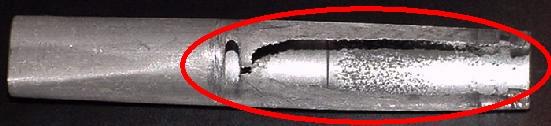
Here's a picture of a worn out aluminum coil sleeve! Note the red circle showing
where the coil plunger wore right through the sleeve. I have never seen this
happen to a nylon coil sleeve. This sleeve came out of a 1 point bell coil. This
was replaced with a new nylon "double flanged" coil sleeve.

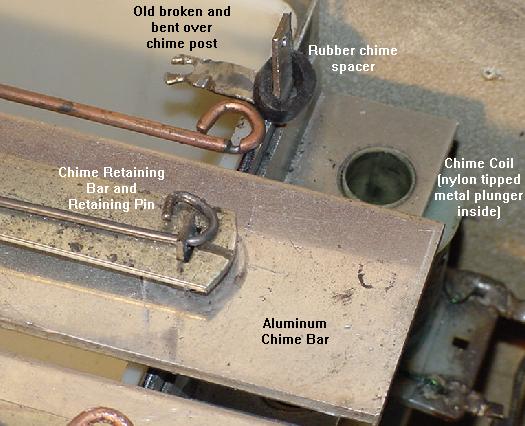
Another high-wear part on 1970s Williams EM games (Space Mission). This is
the chime "box", which uses three aluminum bars of different lengths for
different chime tones. There is a coils for each bar with a nylon tipped
metal plunger that hits the bar. With time, the hole in the aluminum bar
retaining post that the retaining pin goes through will enlongate and
eventually break (as seen in the bent over post below). If the nylon tip
breaks off the metal coil plunger (common), this problem will happen even
faster. Also note the groove worn in the used retaining pin. A new chime box
and retaining pins will need to be installed, or the old posts and pins
replaced with new metal posts and pop riveted in place (as seen here).
Also note the rubber spacer for the chime has been replaced. If this is
not done, the chime will sound frail and harsh. An old rubbon playfield post
sleeve (as used on 1990s pinball games) was cut to replace the old rubber
spacers (two used on each post, one under and on top of the chime bar).


1d. Getting Started: Lubrication & Why Contact Cleaner/WD-40 are BAD.

    Lubrication in EM Games.
    Electro-Mechanical machines, for the most part, do not use any lubrication. Most parts run "dry". Far more damage can be done to a machine by over-lubricating, than by under-lubricating. As a rule, if in doubt as to lubrication, don't do it! Throw that WD-40 away, it won't be needed here (besides, WD-40 is very flamable, and with EM switch arcs, it could start the game on fire!)

    As a general rule, keep this in mind for EM moving parts: Metal to metal lube is OK. Nylon to metal NO lube. Nylon to nylon NO lube. And NEVER EVER lubricate the moving metal plungers inside coils (even if the metal plunger is moving inside a metal coil sleeve). Also NEVER lubricate the gears of the score motor.

    In regards to nylon, all reference I can find from professional plastics companies speak of Nylon: "no lubrication required". In fact a number of them mention how Nylon can be worn by various greases that collect dust and act as an abrasive paste! There is also a concern about Nylon expanding when it it lubricated. This is just more evidence that you should not lubricate any nylon parts.

    Generally the only parts that will require any lubrication are stepper moving "fingers" and some other metal-to-metal moving parts. There aren't very many in an EM game. So keep that lubrication in the tool box and away from the game. I tend to only use lubrication on stepper units and not much more than that. I used them on some 1950s score reels too (metal to metal) such as the pivot points for rotating arms.

    When there is a need to lube an EM game, using the right lubricant is very important. Do not use white grease. Do not use WD-40. White grease solidifies and WD-40 gums up in a short amount of time. Do not use silicone-based lubricants either.

    The only lubricant needed is Teflon based lube (that Radio Shack used to sell), or simple #10 oil, or Williams CoinOp Lube. Personally I like the Teflon Lube Gel. It's available from precisionreloading.com/superlube.htm and pinrestore.com as "Super Lube". Get the 3oz gel tube. This stuff is the best EM lubricant and the only EM lubricant you will need.

    Contact Cleaner & WD-40 are BAD for EM Games.
    WARNING: DO NOT USE CONTACT CLEANER OR WD-40 IN EM GAMES!
    Sometimes first-timers will use contact cleaner on the switch contacts of an EM game (somehow they think a chemical will solve a mechanical problem!) DO NOT SPRAY EM GAMES *ANYWHERE* WITH CONTACT CLEANER! Spraying switch contacts with contact cleaner or WD-40 does some really bad things, AND IS EXTREMELY DANGEROUS in EM games. It is also guarenteed to make the game fail and not work as time progresses.

    Contact cleaner is made for LOW VOLTAGE situations. Low voltage means +5 volts. EM games are HIGH VOLTAGE. Contact cleaner is *not* designed for high voltage, and does *nothing* to fix or clean a high voltage switch! Really contact cleaner was made for gold or tin low voltage (+5 volts) switch contacts, not the silver or tungsten high voltage contacts used in EM games. Don't try and use a chemical to solve a mechanical problem.

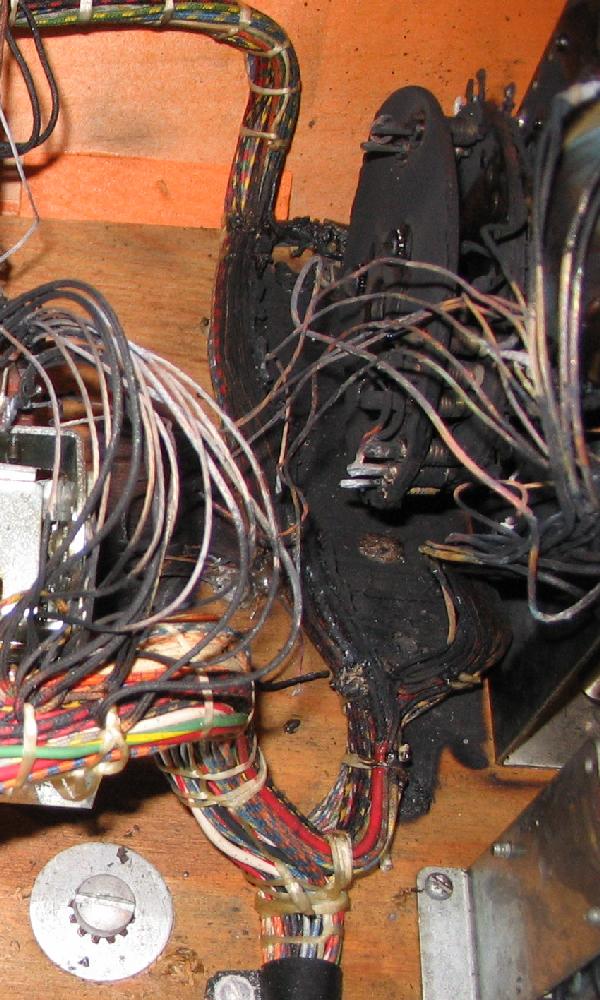
    Also contact cleaner and WD-40 is *extremely* flammable. I have seen people spray it in a game, turn the game on, and the game burst into flames! Because of the high voltage and the switch arc, the contact cleaner explodes into a ball of fire. Typically this will start the cotton cloth wire insulators on fire too, rendering the game unrepairable (after the fire is put out!) All that is left is bare wire with no insulation.

Contact cleaner lights up BIG with only a spark!

The Coin unit on the bottom panel of an EM Gottlieb that was sprayed with
contact cleaner. The game started fire, burning all the wiring and the Coin unit
itself! This is just ONE reason why you don't want to use contact cleaner.
If this is going to be fixed, ALL the burnt cloth-covered wire in this area will
need to be replaced. Also the bakelit plates on the Coin unit will also probably
need to be replaced too, because they will be very brittle.

    Also, contact cleaner in the presence of an electrical arch (which is seen on all high voltage EM switch contacts), causes a chemical reaction. This reaction produces phosgene gas (COCl2 which is mustard gas!) and free chlorine. The free chlorine attacks the silver EM switch contacts and makes silver chloride (an insulator). The game now has this white, insulating material on the switch contacts! Once this happens, the switches will not work. It's like putting a piece of tape between the switch contacts.

    Silver chloride (an insulator) is completely different than silver sulfide, which is a conductor. Silver sulfide is the black dust normally seen on switch contacts (the black dust is not necessarily a bad thing).

    There is no reason to use a chemical for a mechanical problem. Dirty and mis-adjusted switches is a mechanical issue. And you don't solve this type of problem with a chemical.

    The other problem with contact cleaner is most people spray WAY too much of it. This allows contact cleaner to get into the bakelite switch spacers, the wire insulation, and the plywood around the switches (the bakelite switch spacers can shrink with contact cleaner, changing the gapping of the switches). This over-use of contact cleaner provides a constant source of the cleaner, and causes even more problems down the road. And after the user thinks it's all clear to turn the game on, BOMB it bursts into flame (again!)

    If you insist of having to "clean" out your game, the best I can offer you is to do it this way: Take the entire bottom panel out of the game, and bring it outside. Stand it on end and use some compressed air to blow off the dirt and crud. That's as far as you should go when "spraying" the switch contacts on a game.


1e. Getting Started: Electrical Parts of an EM Game.

    Before trying to fix an EM game, it's a good idea to know something about the parts inside the game that we will be working with. With a general understanding of the following, fixing an EM game will be much easier. EM games consist of several electrical and mechanical parts. Each of these is described below.

Tranformer.
    A transformer is two (or more) coils of wire wrapped around a ferrous core. The 'primary' coil (wall voltage) creates a magnetic field, which is coupled into (usually two) secondary coils. This produces lower voltages to power the game's lamps and solenoids. That is, the game's transformer takes AC wall voltage and steps it down to the appropriate voltages needed for the game. This usually includes 6 volts AC for the lamps, and 24 to 30 volts AC for the solenoids. One exception was Bally during the 1970s (50 volts), and Williams. Williams used 50 volts AC for coil voltage until 1962 (Friendship7), when Williams changed to 24 volts AC. The reason? Fifty volts is potentially lethal, so Williams felt it was better to use a lower voltage. Some manufacturers (Williams in 1972, and Bally in 1975, and Gottlieb in 1978) then convert the AC voltage to DC using a bridge rectifier for some coils. Genco also used DC voltage in the 1950s, by using big selenium rectifier disc plates mounted on the transformer to output about 18 volts DC for the solenoids.

    Does a transformer ever go bad? Short version - NO. But I hear this all the time from inexperienced EM (and solidstate!) repair people - "the transformer is bad". In fact, this is never the case. In all the EM games I have fixed (I fix about 200-300 per year), *never* has the transformer been bad. I have seen one bad transformer though, and it was so obvious it was bad (it was a melted bloob of goo, since transformers are potted in wax, as they heat up and the winding burn, the wax melts and burns too).

    Luckily EM transformers are very easy to test. The primary wall voltage comes in on two lugs, and the transformer outputs at least 6 volts (for the lights) and 25 to 50 volts for the solenoids). So there are usually three output lugs, with one 'common'. Put a DMM meter on AC voltages and one lead on 'common'. Put the other lead on one of the other lugs and check for 6 volts AC and 25 to 50 volts AC. Note 'ground' is not a reference point here, the common lug is used instead.

    Genco's DC Dilemia.
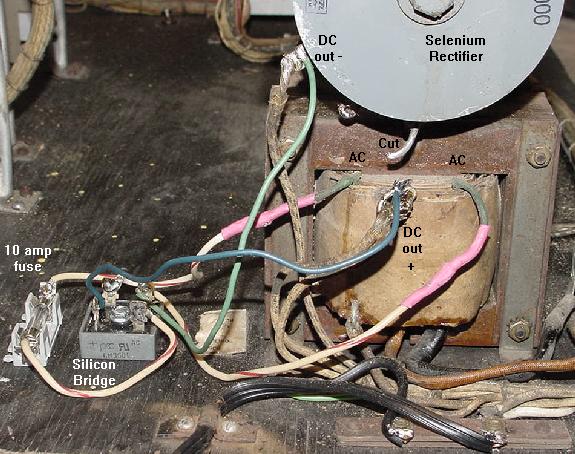
    Unlike everyone else, Genco used DC voltage to power all their coils at about 18 volts. To do this, they use a selenium rectifier to convert the transformer's AC voltage to DC volts. This style of rectifier was used before the invention of silicon diodes. Selenium rectifiers are notorious for failing gradually over time, and then dying suddenly. It is not a matter of "if" a selenium rectifier will fail, but rather "when" it will fail. Selenium rectifiers fail because they develop high, internal series resistance, resulting in lower bias or "C-supply" voltage. Their forward voltage drop increases to the point that they no longer convert AC voltage to DC. As this happens, the increased resistance causes the rectifier to heat up, which eventually causes it to burn. When this happens, it emits a highly pungent and nasty odor, and could start a fire (selenium rectifiers probably reached their peak in TV sets of the 1950's). Nowadays their use would probably be restricted in consumer products because of the toxicity of selenium.

    The biggest symtom of a failing Genco selenium rectifier are coils that are "weak". For example, the classic case is the bell solenoid just doesn't have enough juice to ring the bell. The bell plunger goes up, but it doesn't strike the bell with enough force to actually sound the bell. Or when the score reels or continuous units reset, they do it lathargetically.

    Because of this, the selenium rectifier should be replaced with a conventional bridge rectifier. Radio Shack sells a 25 amp 50 volt bridge with lugs that works just fine, though I personally use a 35 amp 200 volt bridge (because I already have them around for solid state games and their power supplies).

    The new silicon bridge is easy to hook up to the Genco transformer. Just remove the two top outside green wires going from the transformer to the selenium rectifier, and connect them on the two AC lugs of the bridge (the bridge's AC lugs are diagonal to each other, and usually at least one is marked "AC"). One of these transformer leads should go through a 10 amp fuse (which would blow if the new silicon bridge shorts, which does happen).

    Then the upper solo output wire from the selenium rectifier (which has a cloth wire going to the harness) should then be connected to the negative lug on the silicon bridge. The "+" (positive) silicon bridge lug is then connected to the transformer's top center lead, which also connectes to the old selenium rectifier (cut the connection to the old rectifier though). After mounting the wires, put a wood screw through the hole in the center of the silicon bridge, and screw it to the wood panel. Leave the original (and now disconnected) selenium rectifier there, for that "original" look.

A 1954 Genco 2 Player Basketball which has been converted from using the
original Selenium rectifier, to a new silicon bridge rectifier. Note the 10 amp
fuse installed too, on one AC lead going to the silicon bridge.

Lamps.

    All games use lamps. The most commonly used lamps are 6 volt AC with bayonet bases (#44, #47 or #55). Many arcade games use 120 volt florescent lamps too. But other lamps are sometimes also used, especially on Genco games (#1458 lamps, 20 volts). Number 67 lamps are also used on some arcade games, which are a larger 6 volt version of a #44. And flashing lamps (#455) are often seen behind pinball backglasses. These 6 volt lamps have a thermal switch that when it heats up after a second, the metal expands and opens a contact, turning the lamp off. After cooling for a second, the metal contracts and closes the contact, and the lamp lights again. This process repeats over and over.

Switches.

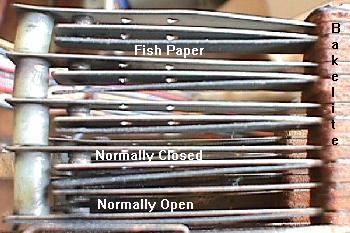
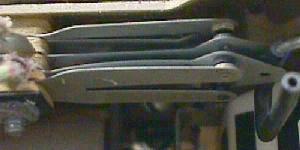
    EM games use lots of leaf switches. These switches have two or three contacts attached to metal blades (the "leaf"). Between the switch blades are bakelite insulators. Switches come basically three ways: Normally Open, Normally Closed, or Make/Break. The schematics show if a switch is normally open or closed. Note the schematics identify all the switches when the game is turned on, reset, and ready to play with the first ball in the shooter lane. Other arcade games like pitch & bat and bowlers are pretty much the same, with the game reset and ready to play the first ball. This is important to know as it dictates how a switch will behave relative to the schematics and whether it is "normally open" or "normally closed".

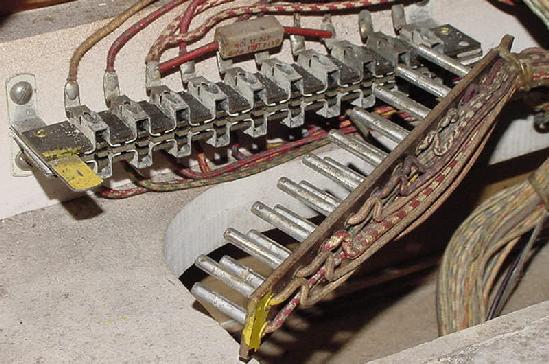
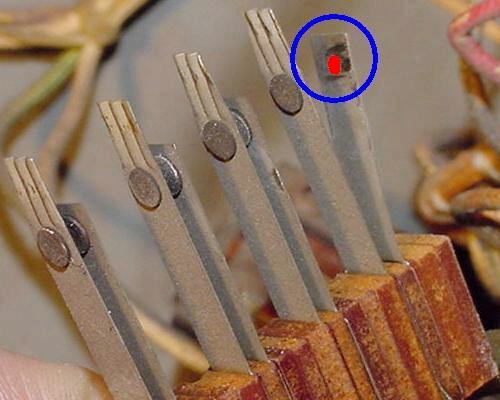
Note the four Normally Closed (top 4 pairs) and one Normally Open
(bottom most pair) leaf switches in this switch stack. All are quite dirty
with black dust.

    Normally Open means the two contacts are open, and not connected. Activating this switch closes the two contacts, and turns on the circuit. Gottlieb identifies these types of switches as "A" contacts.

    Normally Closed means the two contacts are closed (touching), and are connected. Activating this switch opens the two contacts, and turns off the circuit. Gottlieb identifies these types of switches as "B" contacts.

    Make/Break means there are three contacts on the switch. A middle or common contact, a normally open contact, and a normally closed contact. When this type of switch is activated, it closes the normally open contact, and opens the normall closed contact. Gottlieb identifies these types of switches as "C" contacts.

    Bakelite Insulators are the small brown fiber-looking plates between the switch contacts. These insulate the switch blades from each other in the switch stack.

    Fish Paper is an insulating gray paper used between switches, mostly in switch stacks. It prevents one set of switch contacts from shorting against another. Often this paper gets worn and damaged. This can cause adjacent switches to short. Inspect the paper, and replace where necessary.

Relays.
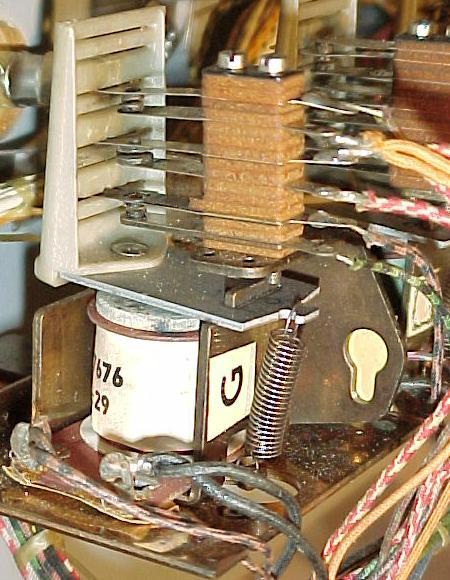
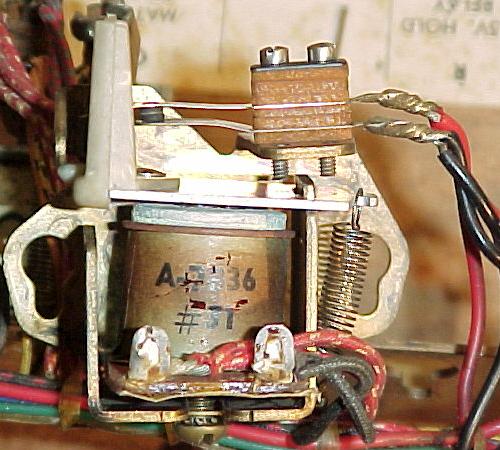
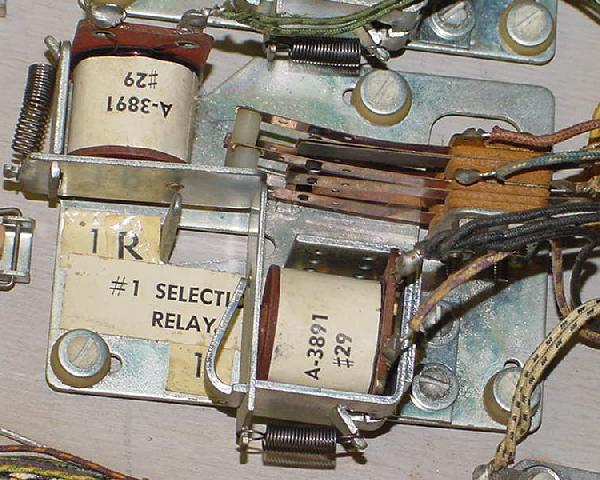
    A relay is a small coil that pulls in, and activates (or deactivates) a number of switches. One switch turns on the relay coil, which in turn activates a number of other (normally open or normally closed) switches. This amounts to the action of one circuit controling many more circuits, without an electrical connection to them!

    A relay consists of a coil of wire wrapped on a ferrous core or 'bobbin'. A ferrous activator plate is held above the core of the coil. Activated by the plate are one or more pairs of switch contacts. As the relay energizes, it pulls the activator plate towards the wire coil, changing the state of switch conductivity (for example making a "normally open" switch close).

    An example of this would be a feature relay that is activated by a pinball playfield switch. This can turn on a relay, which will then turns on (or turns off) many other switches, which can score points and turn on numerous playfield lights. Or a low voltage 30 volt relay could turn on power to a high voltage 120 volt coil.

A Gottlieb pop bumper relay. The playfield switch turns this relay on, which in
turn energizes the pop bumper and triggers the 10 point relay to score the points.
This relay has three Normally-Open switches.

    AC voltage relays have a copper "slug" center surrounded by an iron center. AC coils have a coil stop made with these same materials. This material creates a small magnet. This holds the magnetic field of the coil as the AC (alternating current) moves through zero volts (remember, AC volatage alternates from a positive voltage, to zero volts, to a negative voltage, and back to zero, then to positive voltage, and so on). An AC relay or AC coil stop will work in a DC circuit, but a DC relay or DC coil stop won't work in an AC circuit.

A Gottlieb Hold relay. This hold relay is the style used in games prior to 1968
(Sing Alone/Melody and before). Once the game is on and play is started,
this relay is energized until the game is turned off. Hence the toasty
brown paper wrapper from this relay's constant use.

    Relay coils usually have a resistance of 10 ohms or greater. The higher the resistance, the less magnetic pull the relay will have, but also the less chance the relay coil will heat up and burn if it is energized for a long time. Because of this, some relays are designed so they may stay on for long periods of time. These hold relays usually have higher resistance coils, like 100 ohms or more, and are designed to stay on sometimes the entire time the game is turned on. Hold relays are often used for the game power hold and coin mechanism lock outs, or for toggling a set of features on a game.

    Relays also come in different Frame sizes. The two relays shown above are "short frame" relays. Companies use these relays in situations where a smaller footprint is needed, and a fast reaction time (like pop bumper relays). "Long frame" relays are used where space isn't such an issue. Long frame relays are easier to adjust and visually diagnose, and hence tend to be more reliable in operation.

Latch-Trip Relays: a latch-trip relay is used as a hold relay.
The Bally latch-trip relay is used for the "game over" switches.
This particular game-over latch-trip relay is the source of many Bally
problems. 1970s Gottlieb latch-trip relays are particularly nasty as the
switch travel is small, so the switches must be very accurately adjusted.

1960s Gottlieb "long frame" Latch Relay (Flipper Parade).

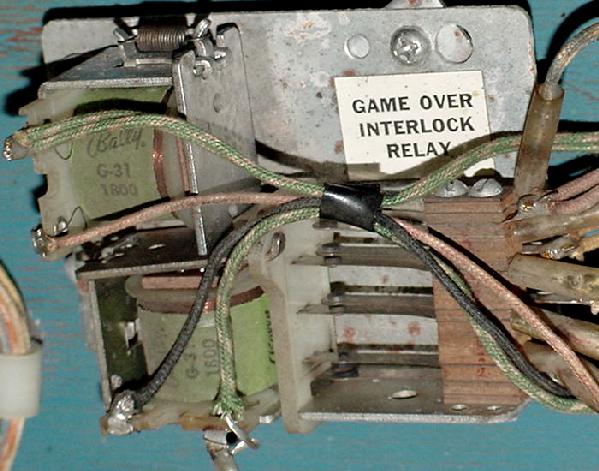
    A subset of the hold relay family is the Latch-Trip relay or Interlock relay. Basically it's two relay coils that control one set of switches. The pull-in (latch) relay coil activates the switches, and a metal armature plate locks the switches mechanically (even when the pull-in latch coil is not energized). When the second release relay coil activates, it un-latches (trips) the lock and releases the metal armature plate. A latch-trip relay can retain its state without being constantly energized (unlike a hold relay). A latch-trip relay can even retain its state if the game is turned off.

    Latch-trip relays are a common source of problems. For example, if a Bally or Williams pinball won't light up after turning it on (and pressing the left flipper button!), often this can be traced to the switches in the game-over latch-trip relay. Gottlieb "short frame" latch-trip relays used during the 1970s are even more troublesome (Ax/Bx relays on multi-players, Ax on single players). The switches in Gottlieb short frame latch-trip relays have a very small amount of travel. This means they must be adjusted perfectly to function correctly. Also the Ax/Bx switches can come out of their actuator plate slot (usually because someone messed with it and unknowningly knocked the switch blades out, and if they are not put back in the correct slot, the switch gaps will be all wrong and the game will never work.)

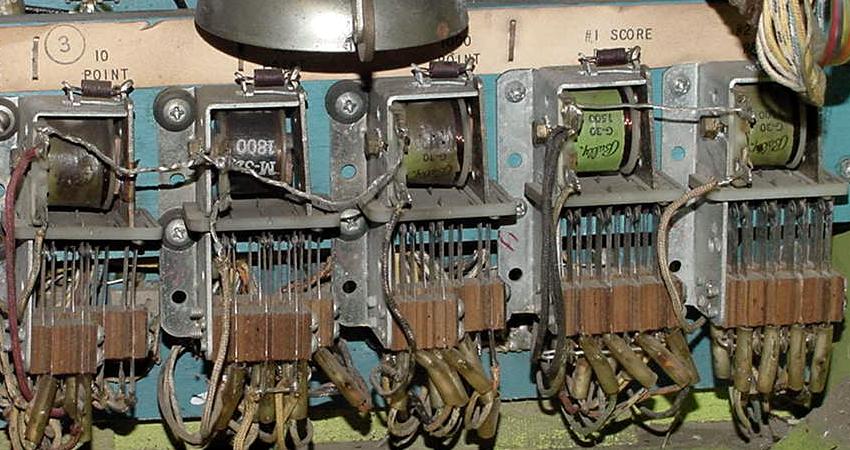
A Gottlieb relay bank (Flipper Parade). This relay bank houses a mere five relays.
The reset solenoid can clearly be seen at the top.

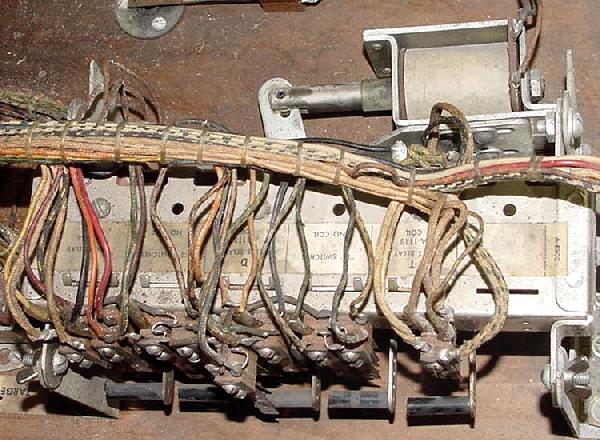
    The last type of relay configuration is the relay bank. This consists of a number of relays (generally four to twenty) mounted on a common frame. Each relay can be "tripped" individually, much like the trip relay in a latch-trip system. When a relay coil is energized in the relay bank, it releases an armiture plate which opens or closes the relay's associated switches. When the relay is de-energized, the switches stay in their new tripped position. The beauty behind the relay bank is the reset. With a single solenoid connected to a moving bar on the relay bank, the bank can reset all of its relays to their untripped position. Some early pre-1954 pinball games have a manual reset bar for the relay bank, which the player unknowingly resets when they insert a coin into the front door coin slide mechanism!

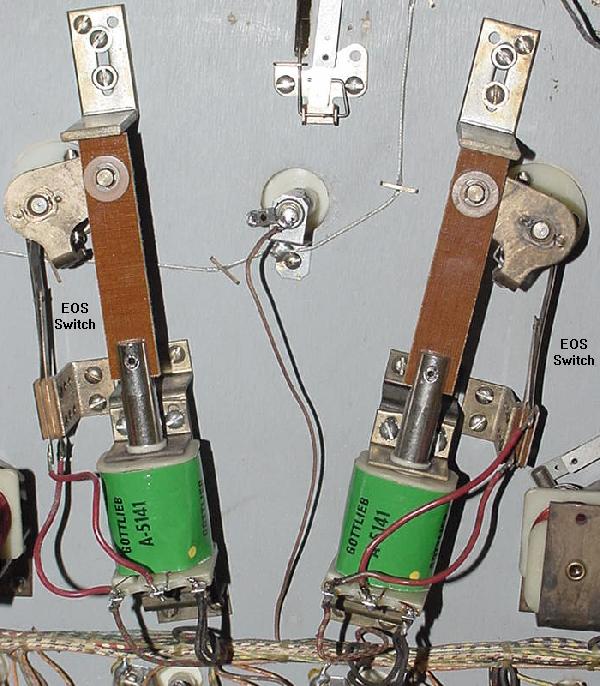
New Hi-Power Gottlieb Flipper coils ("yellow dot"), with new fiber flipper links
attached to the plungers (Kings & Queens). New links will make your old flippers
work like new, as does a new coil sleeve. The hi-power coils are about 10%
stronger than the originals. Note the EOS (end of stroke) switches for each flipper.

Solenoids (Coils).

    Solenoids (coils) are bigger versions of relay coils. A coil of wire wrapped around a plastic 'bobbin', but with a hollow center core (unlike a relay which does not have a hollow core). A ferrous plunger is pulled into the solenoid's core when power is applied to the coil. Solenoids are a transducers, converting electrical energy into mechanical energy. The mechanical energy can be used to move a pinball in game play (slingshots, flippers, pop bumpers). Or solenoids can advance or reset mechanical counting units ('steppers') like a Ball-in-Play or Player mechanism.

    Solenoids are much larger than relays, and usually have much lower resistance. Most coils have a resistance of 2 to 120 ohms (less than 2 ohms and the coil is becoming a direct short, and will blow a fuse!) The lower the resistance of the coil, the more powerful it is (for example, pop bumper coils tend to be about 3 ohms). High resistance coils are made to stay turned on. This includes the ball release coil (on pre-1967 Gottliebs), and the hold side of a flipper coil (more on that below). But for the most part, coils can only be on for very short periods of time (otherwise they will smoke and burn). Solenoids have a center hole through which a plunger travels until it hits a "coil stop". When a solenoid is switched on, it sucks this plunger down inside the solenoid coil.

    Flipper Coils are a unique type of solenoid. This coil is actually two coils in one package. One part of the coil is the high-powered side, and is usually about 3 ohms. This uses large diameter wire, with a limited number of turns (low resistance). Since there is low resistance, the power can travel quickly and easily through these windings. This part of the coil gives the flipper its initial power to kick the ball.

    The second part of the flipper coil is the hold side, and is usually about 100 to 150 ohms. This acts much like a hold relay; lots of turns of thin wire with high resistance. This part of the flipper coil is normally shorted out and bypassed by a normally closed end of stroke (EOS) switch.

    It works like this: When the player presses the flipper button, the high-powered side of the flipper coil is activated, and the low-powered side of the coil is bypassed. The high-powered side of the coil moves the flipper plunger through it's stroke. As the flipper reaches it's end-of-stoke (EOS), the flipper pawl opens the normally closed EOS switch (which has shorted out the low-power side of the flipper coil). When this switch is opened at the end of the flipper's travel, the electricity passes through both the high powered and low-powered sides of the flipper coil in series (one after the other). The combination of these two coils together (with a combined resistance of the two coils) allows the player to hold in the flipper button without burning the flipper coil. If the high-powered side of the coil was activated alone for more than a few seconds by itself, the coil would get hot, smoke, smell, and burn, and probably blow the game's solenoid fuse.

Score Motor.

    Almost all post-WW2 EM games have a score motor (except Genco EMs). The score motor comprised a small electric AC motor (about 25 RPM) that is speed reduced through some gears. Attached to the motor shaft are several disks (also called cams) with indentations around the outside. Stacks of multiple switches surround the cams, which have a lever. The switch levers either rides around the outside of the rotating cams, or they come in contact with pins that perturd perpendicturly to the cams. As the cams turn, the switches open and close, as dictated by the indentations or pins in the cam (via the switch levers).

    Score motors also have a "Home" or "Motor Run" switch. The purpose of this switch is to keep the motor in motion (after some external circuit started the motor) until it finishes turning through a "cycle", ultimately resting at a "home" position. Most score motors have two to four cycles per cam revolution.

    This is all fine and dandy, but what purpose does the score motor serve? Its job is to make a certain feature repeat a desired number of times. For example, say in a pinball machine the player hits a 50 point target. To score 50 points, the 10 point relay must be engaged five times. This repeated usage of the 10 point relay is done using a 50 point relay and the score motor. The 50 point relay engergizes, which turns the score motor on for just a moment. Once the score motor is on, it will continue to turn one cycle, and then shut off (thanks to the home switch). As the score motor turns through its one cycle, a score motor switch is opened and closed (pulsed) five times which turns on and off the 10 point relay, through a closed switch on the 50 point relay (which is still energized thanks to yet another score motor switch). This registers the required 50 points on the score reels. After the five pulses of the score motor switch and the completed cycle, the score motor stops and the 50 point relay de-energizes (because of yet another score motor switch opens turning the 50 point relay off). This whole process takes about one second, and involves a number of switches. It's computer logic without the computer!

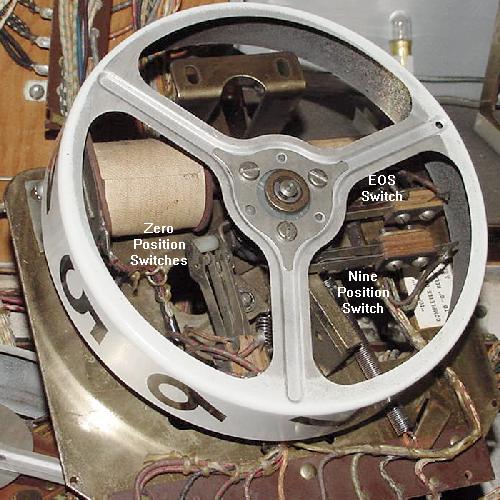
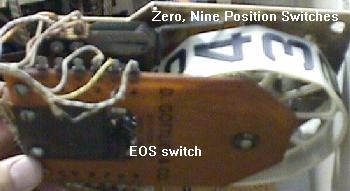
    Another usage of the score motor is for reseting the score reels to zero when a new game is started. Each score reel (discussed more in detail below) has a zero position switch that opens when a the score reel is at zero. Using a reset relay and a score motor switch, a circuit to the score motor is used that pulses the score reels until they all reset back to zero. Once all the score reels' zero position switches are open, the score motor circuit opens, and the motor stops turning. Again, as with the 50 point example above, the score motor is used to do a task (pulsing the score reels) multiple times.

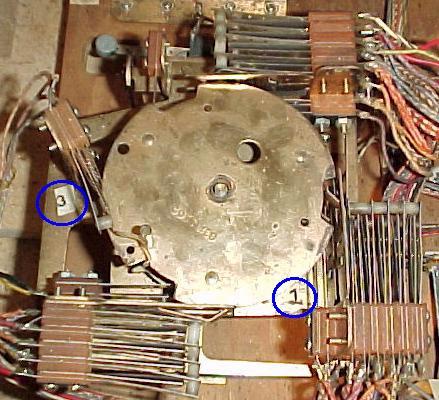
A Gottlieb score motor, top view. The blue circles indicate
two of the switch stack numbers (from 1 to 4).

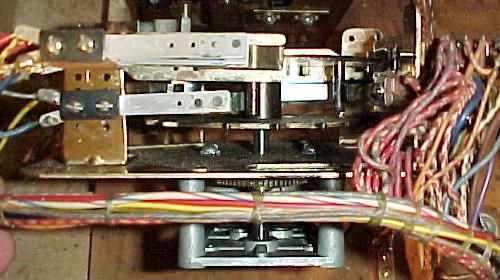
    Because the score motor has several different levels (cams), and many switches associated with each cam, a numbering system was created to identify the switch stacks. This number format is usually shown on the game's schematics. On Gottlieb score motors, numbers are used to identify the switch mounting brackets (usually from one to four). Letters are used to identify the switch stack's level (cam), with "A" being the level closest to the bottom board, and "E" closest to the playfield. If the schematic referred to switch "4C", this meant the switch was located in the switch stack mounted on bracket number four, and was the "C" (middle) level. Note there could be as many as five or six individual switches on the switch stack 4C! In order to find the exact switch in question, the schematic also identifies the switch's wire colors (and hopefully the game's wire colors have not faded!)

A Gottlieb score motor, side view. Here the "A" and "C" switch levels
can be clearly seen ("A" is closest to the bottom of the picture).

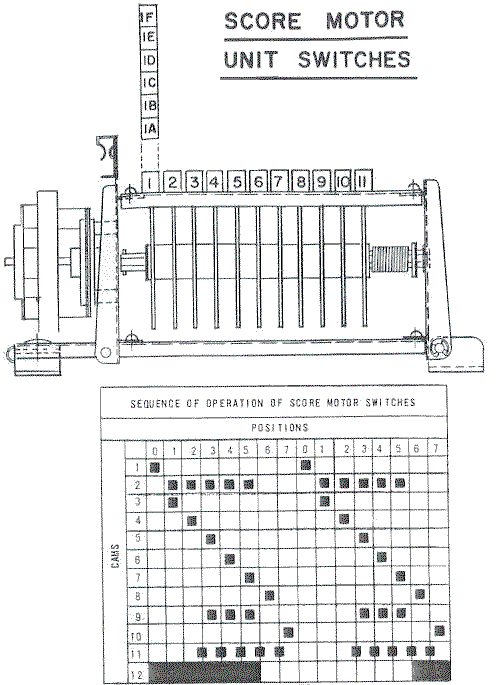
Bally score motor cam and switch stack scheme (Bally Gator).
Again the "A" switch is closest to the bottom board.

Stepper Units.

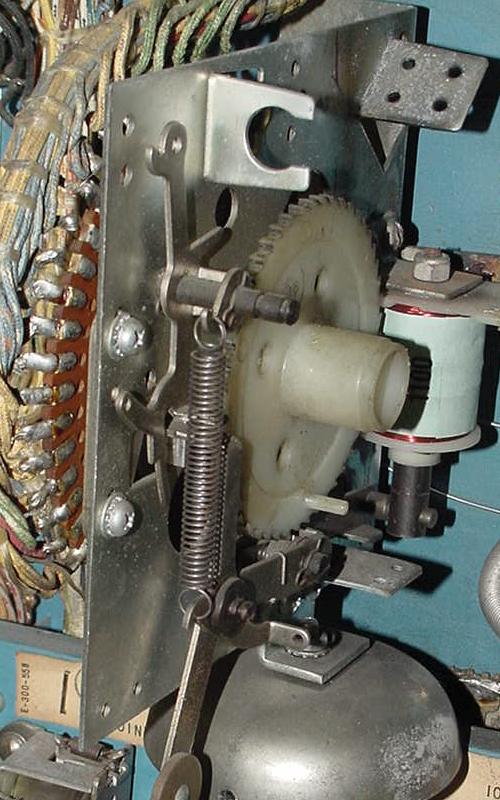
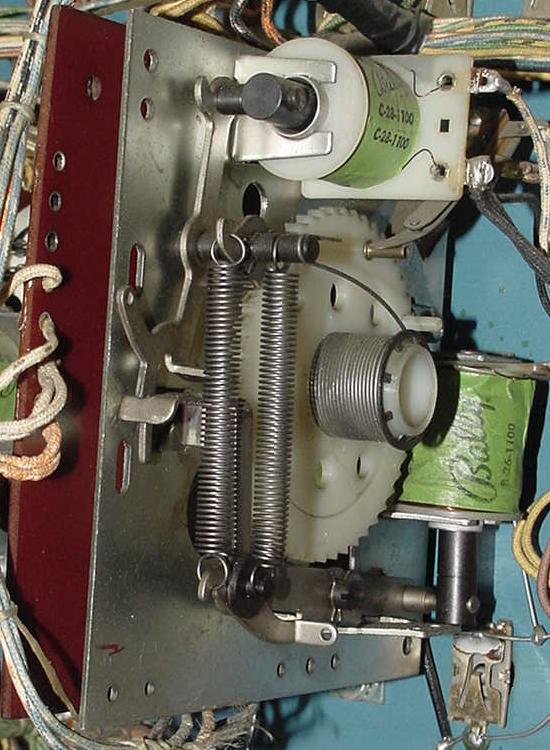
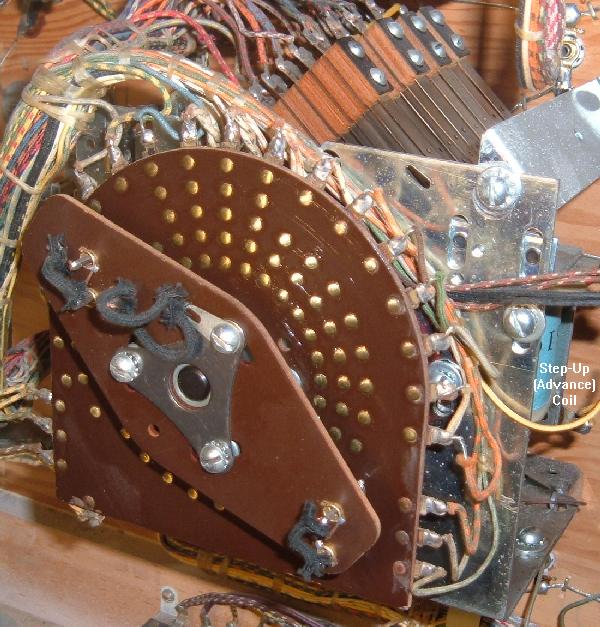
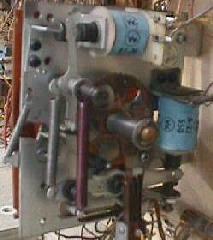
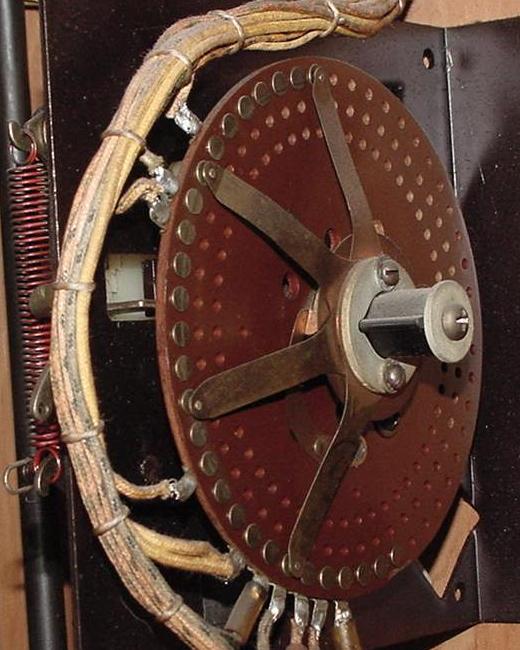
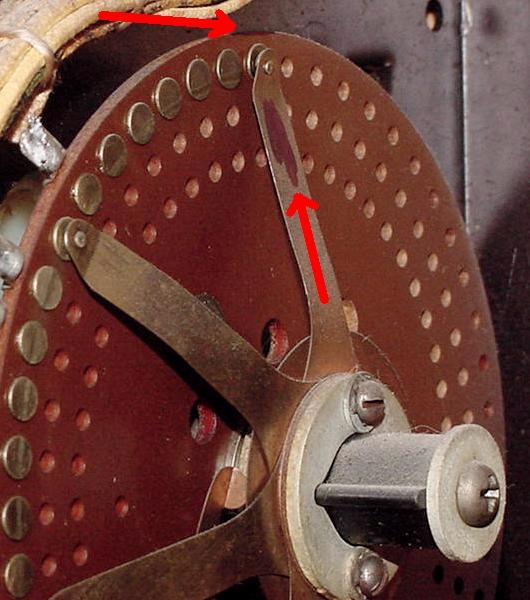
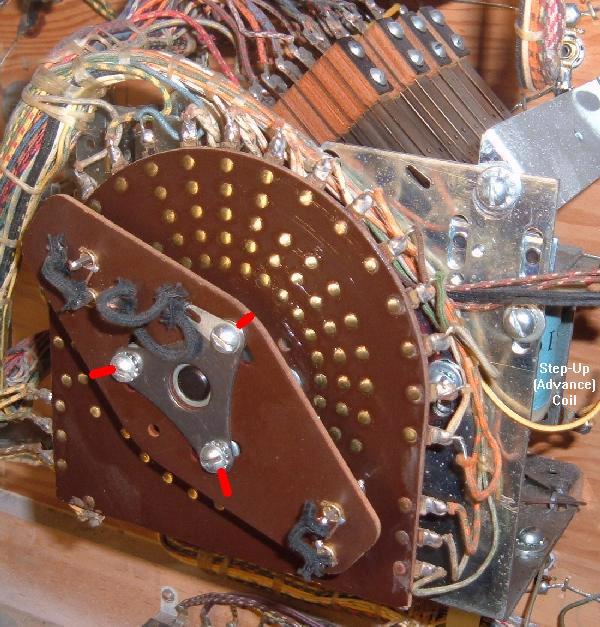
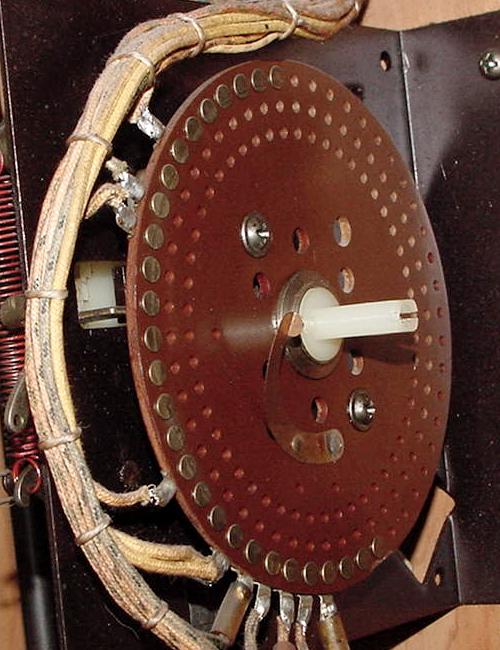
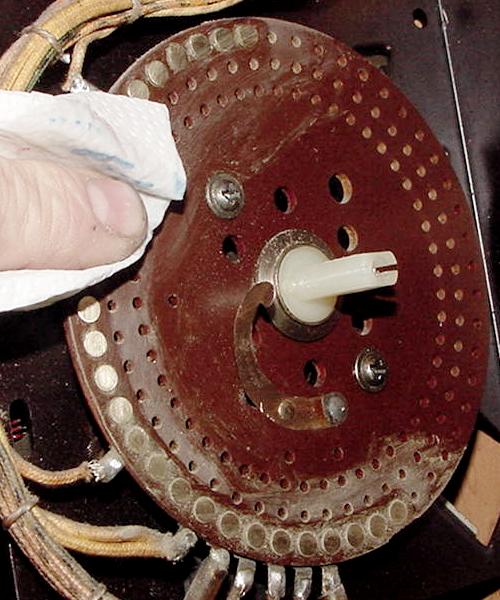
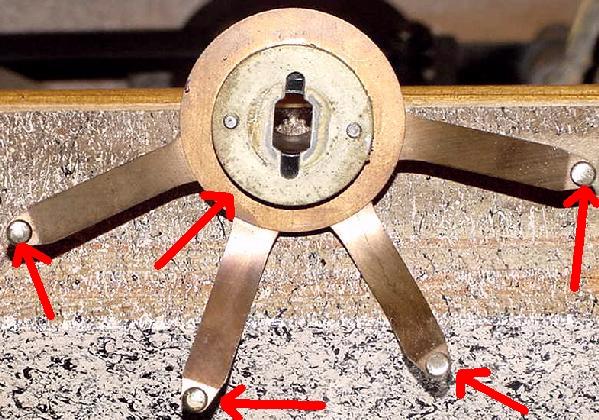
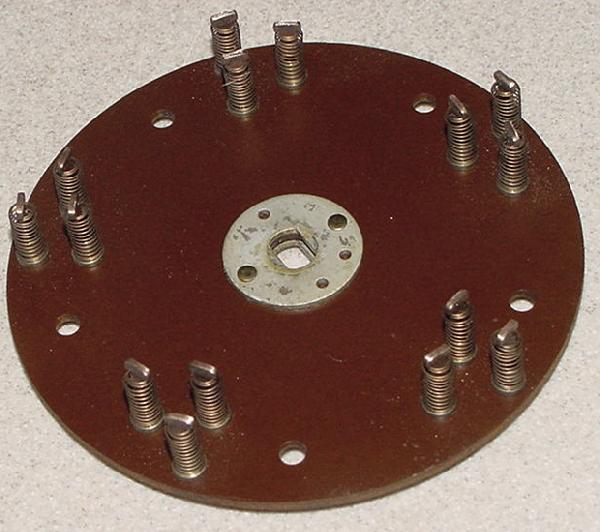
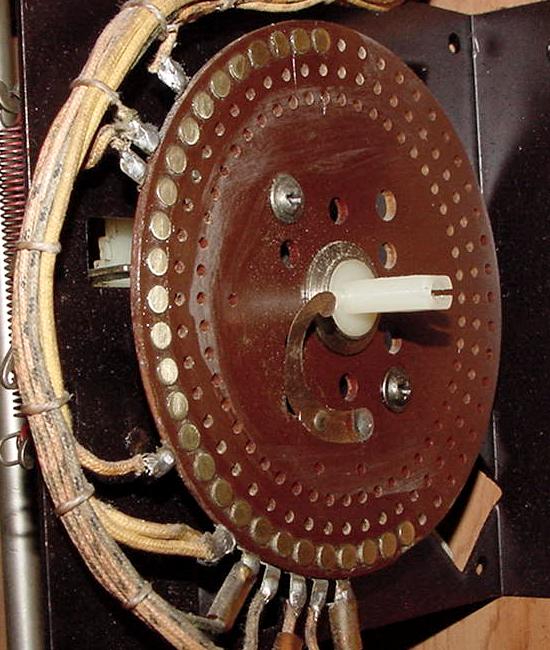
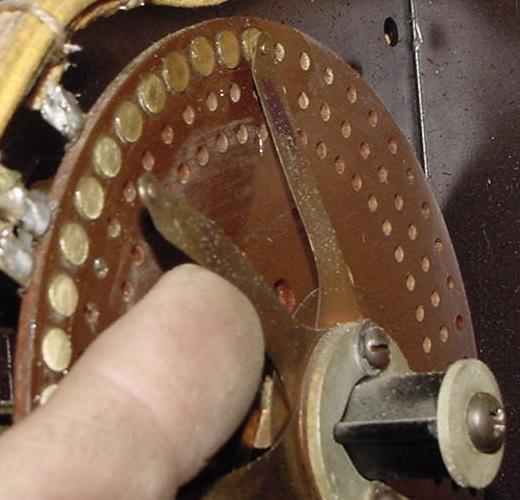
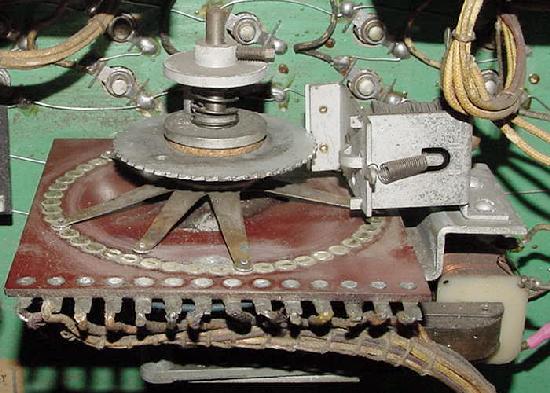
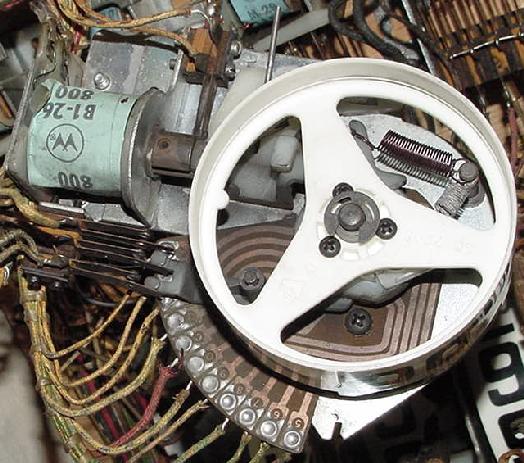
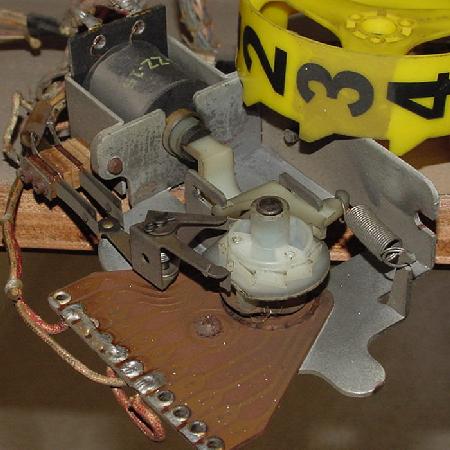
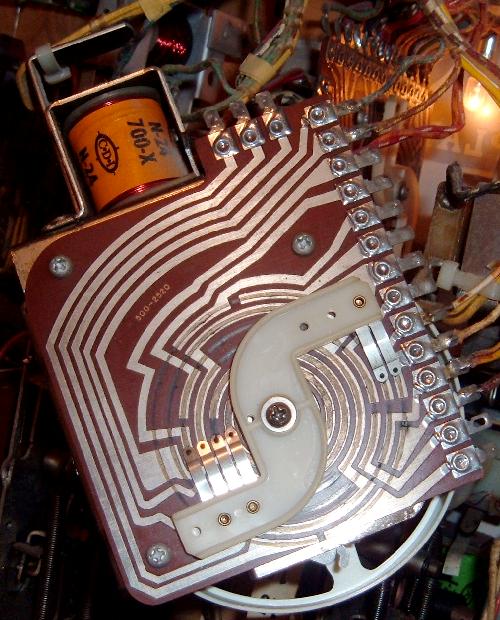
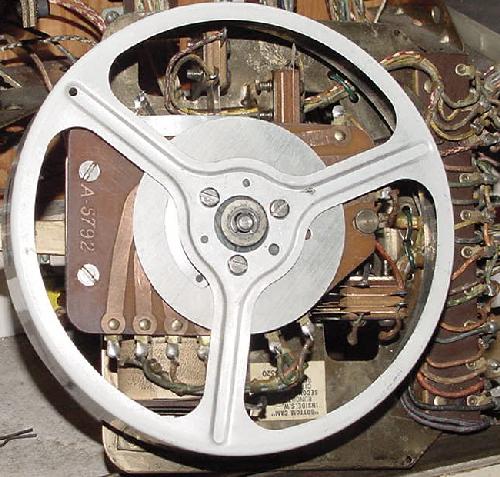
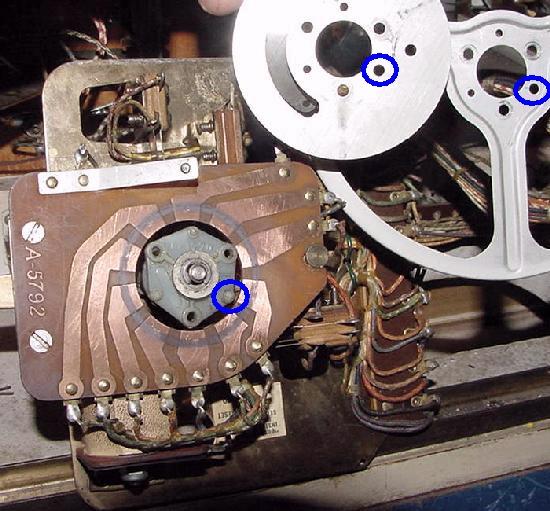
    If relays are the most common device in an EM game, steppers are the second most common (and largest). Most steppers consists of a metal frame with a brown insulting material containing lots of small metal contacts, grouped in circles. There is a ratchet mechanism to advance "contact fingers" or "wiper blades", which touch the small metal contacts on the brown insulator (as many as 50 wires can be soldered to the contacts on a single stepper unit). Wipers are a type of switch on the stepper unit that rotate with the unit. As the stepper unit moves, the wiper blades make contact with a different set of copper contacts. This is used to change features or scoring on a game. In addition there is one or two solenoids that energize to move the contact fingers.

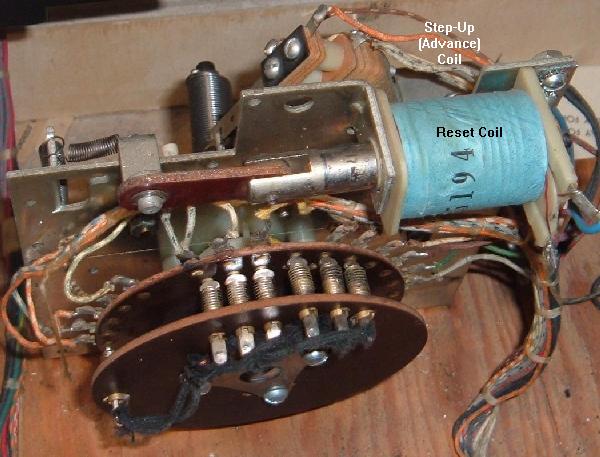
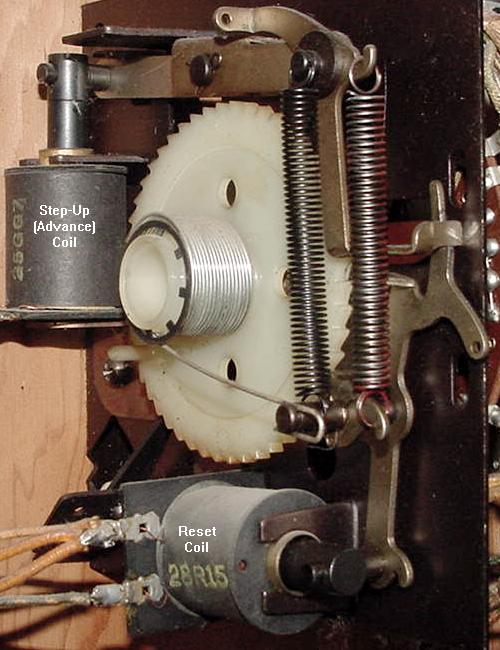
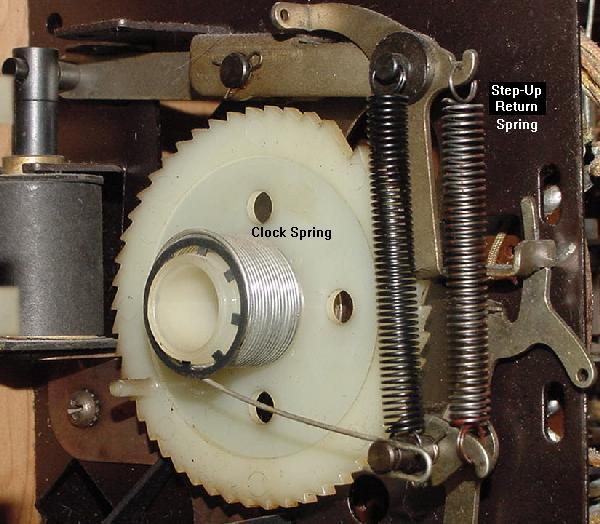
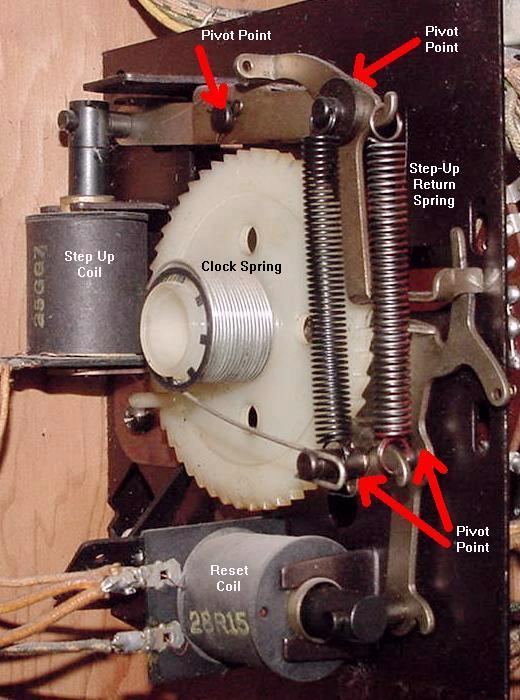
    A common type of stepper unit is called the reset stepper, which uses two solenoids. One solenoid is known as the "step up coil", which advances the unit one position via a ratchet mechanism. This moves the wipers to the next set of contacts on the stepper. As the stepper increments, it winds a clock style spring tighter. Eventually the unit will come to some mechanical end, where it can no longer advance. There is also a second "reset coil" which releases the ratchet and resets the unit back to the "zero" position, regardless of its current position. Reset steppers are often used for scoring on games with no score reels (pre-1961). They are also used on newer style games as ball and bonus counters.

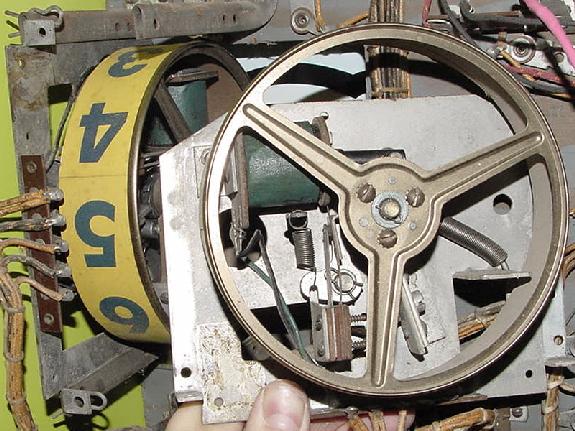
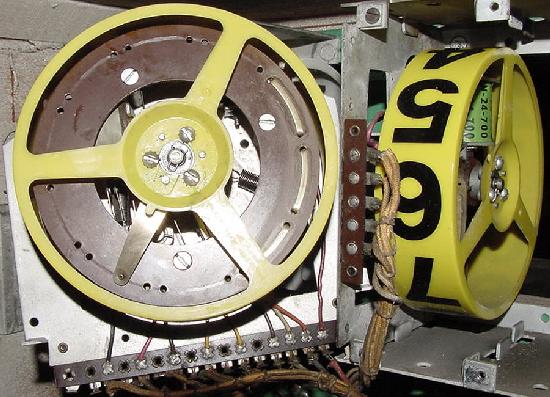
    Yet another type of stepper unit is called a continuous stepper. These have just one solenoid, known as the "step up" coil. The only difference between the above reset stepper and the continuous stepper is the lack of a reset and there is no clock spring. To bring a continuous stepper back to the "zero" position means stepping through all its position to get back to zero. Continuous steppers are used where resets are not required, like in a "match unit". They were also used from pre-1961 as the low-score unit (the unit that kept track of the lowest score numbers in the game, like the 1000s or 10,000s). Another type of continuous stepper is the score reel (see the score reel section below for more information).

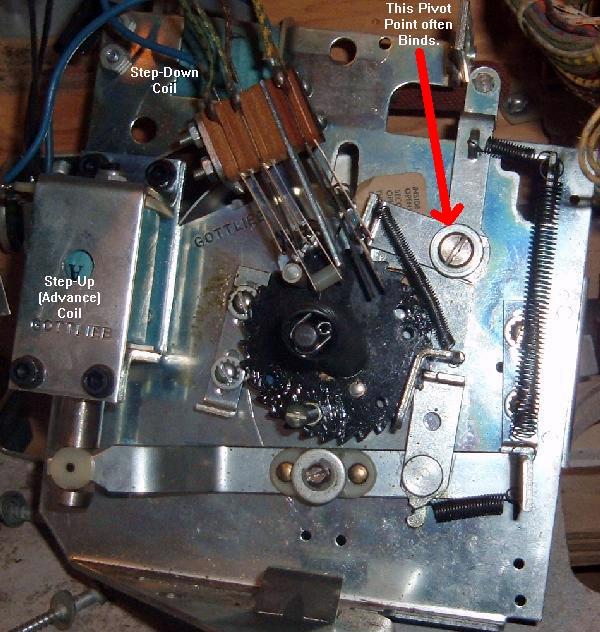
    The last type of stepper is the increment/decrement unit. There are two coils on this unit, a "step up" coil and a "step down" coil. The step up coil works just like the other two steppers, using a ratchet mechanism to advance the stepper one position. But the step down coil also has a ratchet mechanism that decrements the stepper one position. A good example of the increment/decrement stepper is the credit unit.

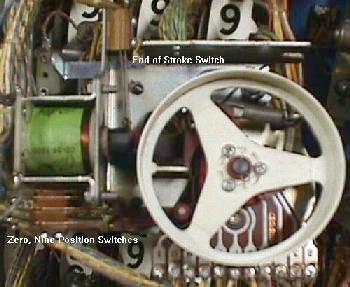
    Most stepper units also use at least one End Of Stroke (EOS) switch for the stepper coils. When a stepper unit's solenoid energizes, this switch closes (or opens) as the coil plunger moves. Also most stepper units have some sort of zero position switch.

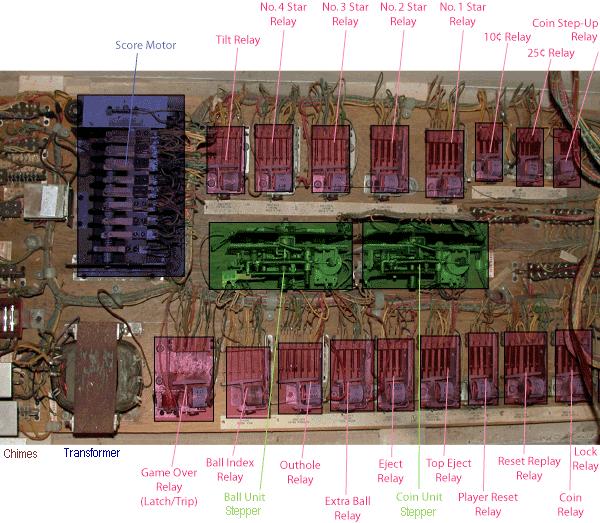
The bottom pannel of a 1970s Williams Grand Prix game. The coin door (front area)
is to the left. Red shaded areas are relays, green shaded areas are Stepper units,
blue shaded area is the Score Motor. Pic by Tor.

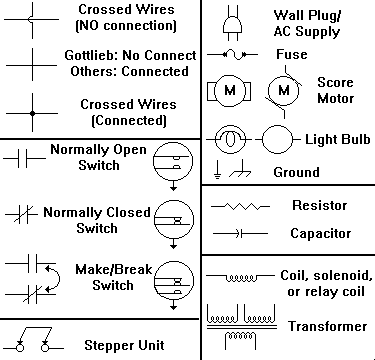
Schematic Symbols.

    At some point the schematics will need to be referenced when fixing a game. The graphic below shows the most commonly used symbols on EM schematics, as discussed above.

The most common schematic symbols used in EM games.


2a. Before Turning the Game On: Check the Fuses and Fuse Holder
    Seems like such a simple thing, yet many of us forget to do it. Before you even turn the game on, check the fuses. Not only look for blown fuses, but over-fused circuits. For example, is there a 25 amp fuse where there should be a 10 amp? Save that 25 amp fuse for your car and put the right fuse in!

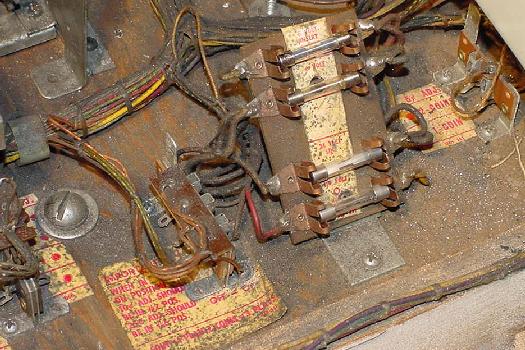
    There are at least three fuses for any EM game. One fuse for the solenoids, one for the playfield lights, and one for the backbox lights. There may be more (depending on the game). Often there are fuses located else where too, like on the bottom panel of the game. There's usually a fuse for the the reset bank, and sometimes under the playfield for certain features.

    Testing Fuses: the Right Way.
    Don't depend on eyes or sense of smell to check fuses. A perfectly good looking fuse could be open, it happens all the time. Fuses can go open because of age (fatique) too, and not just from shorts or high current. Use a Digital Multi-Meter (DMM) to test fuses. First remove the fuse from its holder, or remove just one end of the fuse from the holder. This is important, and applies to Solid State games too. Don't try and test the fuse installed! Set the DMM to "continuity", put a lead on each end of the fuse, and buzz out those fuses. No buzz means fuse is bad.

    (Side Note: a "buzz" on the meter means zero resistance. If no "buzz" is heard, either the circuit is OPEN, or the resistance is 100 ohms or greater. If the meter doesn't have a continuity function, just use the lowest resistance setting. A good fuse will measure zero ohms.)

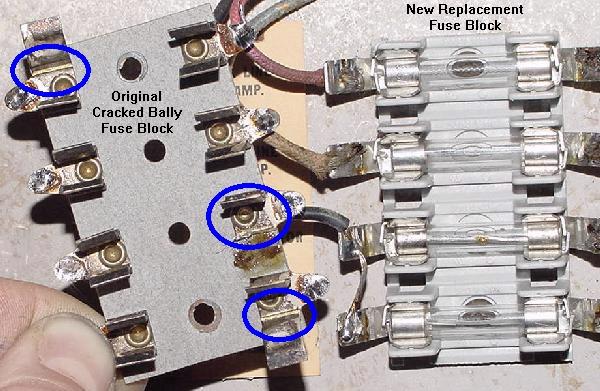
Left: a Bally fuse block with cracked fuse holders. The stress cracks can be seen.
Right: a new replacement fuse block.

    Fuse Holders.
    Often the fuse holders on EM games are tired and have lost their "spring". This will cause a bad power connection. Symptoms include missing all lights on the playfield or backbox, all coils don't work, or a game that just won't power on. This is very common on Bally games. Often the fuse holder's tabs can be bent for a better connection, though sometimes the tabs will break doing this. Keep a stock of new fuse holders around and replace when needed. Also clean the fuse holder. These can be so dirty, the fuse won't make contact to the holder. Dirty fuse holders can also cause resistance, and the heat generated can cause the fuse to open (blow).

    What Causes a Fuse to Blow?
    The first thing to figure out is what does the blown fuse control? Is it the 6 volt lighting fuse? (Note sometimes there are two 6 volt fuses, one for the backbox, and one for the playfield.) Is it the solenoid fuse? (usually 30 or 50 volts.) Or is it the 120 volt line fuse? Also on some EM games there is a selenium or bridge rectifier or diode(s) and an associated fuse for that (this is common on 1970s Williams and Bally pinball games and 1950s Genco games).

    The first thing to do is to vacuum all the crap out of the inside of the game. It amazes me what you will find inside an old game, and often when the game was moved, this junk can lay across some wires or contact points and cause a blown fuse. So vacuum the bottom of the game (but save all the parts you find, including loose nuts and bolts).

    Once you know which fuse is blowing, it makes things a bit simplier as you only have to look at that circuit to find the short.

    • 120 volt line fuse blowing: look for a shorted power cord or a shorted transformer (rare, but it does happen).
    • 6.3 volt backbox or playfield lighting: usually two fuses for this (backbox, playfield). Sometimes bulbs short (rare, but it happens). More often it's a playfield light fuse.
    • 30/50 volt solenoid voltage: this is the most commonly blown fuse. It powers all the coils and the score motor. If a coil locked on, this fuse will often blow.

    Use a Small Circuit Breaker.
    As shown in the Tools to Have on Hand section, a small circuit breaker is really needed to diagnose any blown fuse problems. Otherwise you might as well buy stock in a fuse company while you diagnose this problem!

    Fixing a Failed Lamp Fuse.
    If the game is blowing a 6 volt lighting fuse, that is often caused by a shorted light bulb or light bulb socket. Or a wire for the GI (general illumination) is touching the metal frame of the game. This will of course blow a fuse, and these problems can often be hard to find.

    Look under the playfield for a lamp socket that has the "tit" bent over accidentally and is touching the "base" of a lamp socket. This is common on lamp sockets on the edge of the playfield, because the playfield can be accidentally lower at a slight angle bending a lamp socket. Also if you took all the parts off the top of the playfield to clean it, check all the lamp sockets incase something metal fell inside a socket.

    The easiest way to find a light short is to make a small "cheater" out of a small circuit breaker. Take a blown glass fuse, and solder the small circuit breaker to the ends of the fuse. Now insert the fuse into the game and turn it on. If there is a short, the breaker will 'blow' and can be reset. This makes finding the short in the GI circuit A LOT easier (and cheaper since you're not replacing the fuse a million times.

    Now to find the short. I break the circuit down into "half". That is I cut the GI wires as they enter the playfield (in the case of a playfield short), and power on. If the fuse does not blow, I add 10% to the string and re-cut. Keep doing this until the short if found.

    Also it's a good idea to do a visual inspection of each lamp socket. Remove all the light bulbs too (you were going to replace them all with new #47 bulbs anyway, right?) If the fuse stops blowing with all the bulbs removed, then there was a shorted bulb. Replace the bulbs one at a time with the game turned on to find the culprit (or just install new bulbs). Sometimes flashing #455 bulbs can short too. If the light fuse still blows with all the bulbs removed, there is either a shorted socket, or maybe a short at a connector (see the section below on connectors).

    Solenoid Fuse Blowing.
    If the 30 or 50 volts solenoid fuse is blowing, this can happen from a low resistance EM coil (please see that link for more information). Also on pinball games, if the flipper coil's EOS (End of Stroke) switch is not adjusted correctly, this can cause the solenoid fuse to blow. See the flipper coil explaination section above for a description of how the flipper coil and EOS switch work together (but basically the flipper EOS switch should open when the flipper is fully energized; if it doesn't open, a burned flipper coil and/or blown fuse will result).

    Check the playfield switches and make sure none are stuck closed. Then examine all the coils for any burnt coil wrapers (a sign that the coil has been on for too long). You can use a DMM and measure the resistance of any suspect coils (see low coil resistance for details on this). Most often bell, chime, knocker, flipper and 00-90 unit coils seem to be most problematic in this regard.

    Other Fuses.
    Also on (primarily 1970s Williams and Bally) games with selenium or bridge rectifier or diode(s), these can short and blow its accompanying fuse. Starting in 1972, Williams changed their pop bumper and slingshot kickers to operate on DC voltage. Bally also made this change in 1976. To do this, Williams and Bally used a silicon Bridge Rectifier. Unfortunately, sometimes the bridge shorts internally, and will blow the solenoid fuse when a game is started or when a pop bumper/slingshot coil fires. Please see When things go wrong for more information on fixing this.

    Gottlieb also used 1 or 2 amp fuses to protect the reset coil on large under the playfield and bottom panel reset banks.


2b. Before Turning the Game On: Plug Connectors Cleaning & Dim/Bad Lamp Sockets

A Gottlieb pin style connector after a quick cleaning.
This pin style connector is the most common EM connector.

    Before plugging the connector in, take your 400 or 600 grit wet/dry sandpaper and sand the circumference of the male side of each pin of the plug. This is the area that the female plug bites in to. Wrap your sand paper around each pin, and rotate a few times. They don't have to shine like a new penny; just get the major crud off.

    Alternatively, I have found a better solution is to use a small wire brush and clean the connector pins. This works really well. I get the wire brush for $2 at Home Depot in welding department.

This flat style of connector is usually just seen on some Williams games.
These are real easy to clean, but generally this is not as robust of a
connector as the pin style.

    Examine the Male Connector.
    Often the insulation on the wires going to the male connector pins has shrunk or is pushed back. This can cause the bare wire to short against an adjacent connector pin or wire. If this happens, a blown fuse is the likely result (in addition to some function of the game not working). To fix this, the tip of the connector pin will need to be heated with a soldering iron, and the wire pushed further inside the pin (add some solder to the wire end of the connector pin too). Also check for broken wires on the male plug. And finally look at the bakelite material that holds the pins. Sometimes these crack and break. If this happens, there isn't much that can be done except for replacement (though sometimes the bakelit can be reglued with Super Glue).

    Bally Connectors.
    Bally connectors are particularly troublesome. For some reason, Bally decided to make their own connectors, instead of buying them from an established connector company. Hence Bally connectors are low quality in comparison. This causes particular problems, as the female portion of the connector can metal fatique, not providing proper tension to the mating male pins (or worse yet, the female tension pins can break). The male portion of the Bally connector is fine, it's just the female part that breaks. For this reason, NEVER EVER "reseat" Bally connectors in an attempt to fix a problem! Each "cycle" of a Bally connector is one step closer to connector death. Fortunately only Bally connectors are fragile; Gottlieb and Williams used better connectors with less problems.

    The only way to repair a broken female Bally connector is to replace it. Since these connectors are not available new, an old Gottlieb or Williams parts game can be used as a donor, and the female Bally part replaced.

Top: a Bally female pin connector.
Bottom: a Gottlieb/Williams female pin connector.

    Gottlieb Coin Door Connector.
    It's also a good idea to clean the connectors that attach to the bottom panel of the game, and the coin door connector. Gottlieb coin door connectors are especially important: if this connector is not making good contact, the game will refuse to work!

    Dim and Fauling Lamp Sockets.
    Though bad lamp sockets aren't going to make a game not work, they are really annoying. Lamp sockets are made of metal and a fiber insulator. They are pressed together to form an air tight seal against the parts. But as time marches on, the fiber insulator shrinks, and air (humidity) gets between the parts. Corrosion comes, and the socket becomes intermittent or doesn't work at all. Often playfield lamp sockets can be repaired, but really the best solution is to replace faulty sockets. Backbox sockets (the lamps behind the score glass) can almost never be repaired, and must be replaced.

    Because there are so many different types of lamp sockets, I personally try and repair them opposed to replacing them. Also the price of lamp sockets has gone up dramatically in the last few years (what was 20 cents is now approaching $1 each). Again I find repairing a socket is easier, faster, and cheaper than replacing them.

    Many people buy rubber "pencils" and use those to clean the inside of the socket. I rarely find this to be a problem. The bigger problem is the socket is "loose" (because the fiber insulator has shrunk). But if you do decide to clean the inside of the socket, if you put that rubber "pencil" in a variable speed cordless drill, you can clean the inside of a socket in about 5 seconds!

    Some people like to use Dow Corning DC4 silicon grease inside dim (failing) lamp sockets. Personally I do not like this approach, as you are trying to fix a MECHANICAL problem with a CHEMICAL. I just don't think it's a good idea. But in DC4's defence, unlike general purpose grease, it has very low film strength and keeps moisture and air from making contact with the metal to metal electrical contacts.

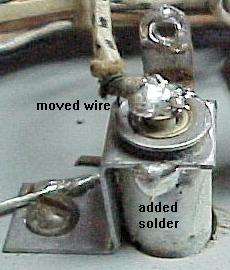
"Fixing" a playfield lamp socket.
The wire that powers the tip of the bulb
is moved directly to the tip of the socket.
The base of the socket is then soldered
together so it can not rotate. Be sure to
sand the parts before soldering, and to use
some Rosin flux on the socket.

    But to really "fix" a socket, you need to repair it mechanically. Get some 220 grit sand paper, and it's not a bad idea to have some rosin solder flux too (though I rarely use it, it is helpful). First I want to solder the round tubular part of the socket (that holds the lamp) to its connector. These are usually separate parts, and as the fiber insulator shrinks, they become loose. Sand the sides of these parts and solder them together so they are permanently connected. If they don't solder easily after sanding, use a touch of rosin flux to help. Then I move the "tit" wire - sand the "tit" on the socket, and move the wire directly to the "tit". Now the socket has less moving contact points, and will last basically forever.

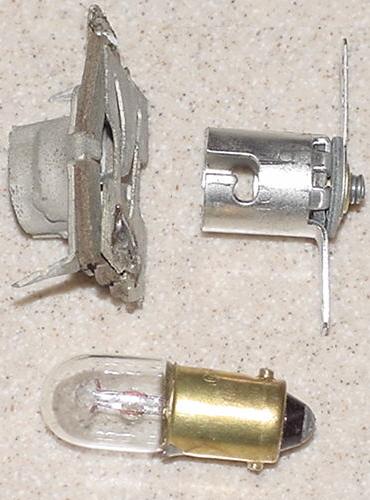
Left: Bally lamp socket.
Right: Conventional lamp socket.
Bottom: A #47 light bulb.

    The worst offender in lamp sockets is Bally. Nearly all the other EM game companies bought sockets from established lamp socket companies. Bally made their own, and hence Bally sockets are bad quality. Also Bally backbox sockets are a completely different design than the other companies, and often need to be replaced.


2c. Before Turning the Game On: Check Coin Door Switches

    On most EM games, if the coin door switches used to start the game when a coin is inserted are molested (accidentally bent closed), the game will never reset. This is a real common problem because many home owners try to start a game "manually". This means some big-sausage (finger) owner tried to add credits to the game without using a coin, and bent the fragile coin switches together, sending the game into a non-operational mode.

    Because of this I *always* recommend you make your game "Free Play", so you don't have to deal with coin door switches. Check the coin door switches so they are properely adjusted, set the game to Free Play, and play some pinball!

    I know some people want that romantic ability to "drop a coin" to start a game. RESIST THIS TEMPTATION. I fix more games with coin door problems and probably any other single problem. Jammed coins, bent coin switches, strange coin door modifications can all cause a game to not work. It's just not worth it. Put the game on free play and forget about dropping coins to start a game. Trust me - your emotions will be much better served *playing* pinball than putting a coin into a coin slot.


2d. Before Turning the Game On: Stepper Units

The Biggest Problem in EM Games.

    The most common failure point in EM games are the stepper units. Steppers have at least one coil that "steps up" the mechanism, giving a different bonus level or player number or ball number. Often these stepper units bind or have other problems. If a stepper unit does not operate freely, the GAME WILL NEVER WORK.

    There are basically three kinds of stepper units: Step up/Reset units, Step up/Step down units, and Continuous units. The are easy to identify.

    • Step-Up/Reset units: have two coils- one coil for a step-up, and another coil that resets the unit back to its home or reset position. The step up/reset units are often used for the player unit, ball count unit, and coin unit. This is probably the most common style of stepper unit.
    • Step-Up/Step-Down units: have two coils- one coil for a step-up, and another coil that steps-down one step at a time. These are most often used for bonus counts.
    • Continuous stepper units: only have one coil. For it to find its "home" position, it must revolve all the way around (there is no reset coil). The continuous stepper is often used for changing features of the game and for the match unit.

    Stepper units are used for a variety of uses. If you have a 1950's EM game, they are used for the lightbox scoring. There's a stepper for each scoring range (hundreds, thousands, ten thousands, etc.). Each stepper will have a step up coil, and a reset coil (to reset the points to zero), which is a step up/reset stepper. Usually the lowest scoring stepper (like the zero to 10,000 point stepper) won't have a reset but will just rotate around to the zero position (continuous stepper).

    Stepper units are also used extensively in score reel era games too. Uses for steppers include counting bonus points, keeping track of the current ball number, matching (at the end of a game), keeping track of number of coins dropped, and keeping track of the player number (for two and four player games).

    A "working" stepper unit must step up correctly and easily, and reset or step down to its "home" position easily (assuming its not a continuous stepper). The "fingers" of the stepper unit must make good contact with the bakelite plate mounted rivets too. Often the grease used to originally lubricate the stepper from the factory has turned to cement, and prevents the stepper unit from either stepping up, or reseting. Or the grease on the coil activated levers makes the levers "lazy" (not allowing the stepper to step up or down correctly). Also the brass rivets and fingers that glide over the rivets need to be cleaned. Years and years of oxidation and crud prevents light and game functions from working.

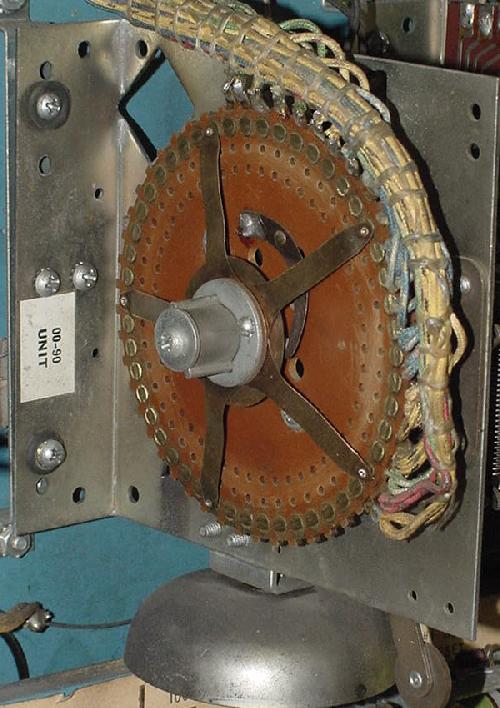
Bally Continuous stepper, with no step-down or reset coil. This unit is
known as a "00 to 90" unit, and is used for the match. This unit advances
each time the 10 point relay energizes to change the match number, and to
often change a set of playfield features (4 Million BC).

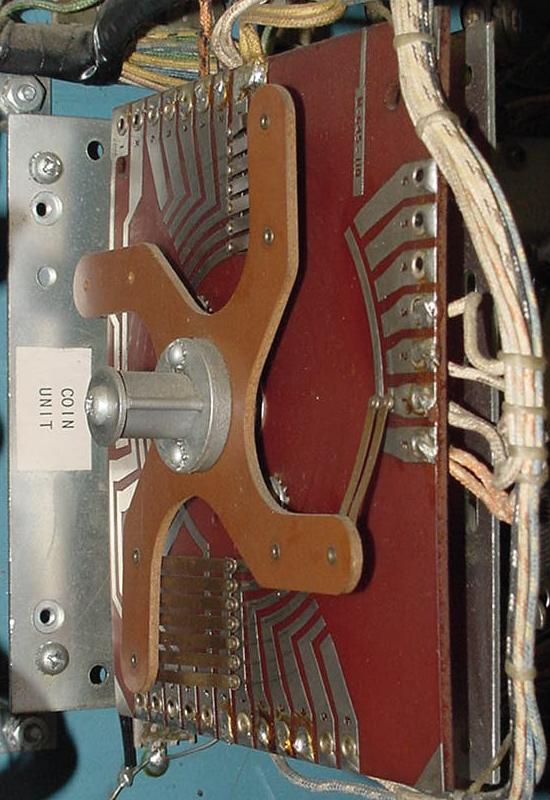
Bally Step-Up/Reset Unit, with a reset coil. This unit is the coin unit,
which tells the game how many players the current game is set for (4 Million BC).

Gottlieb Player Unit. This is a Continuous style unit used on most multi-player
Gottlieb EMs from the 1960s forward. The switch stacks behind the unit are more
problematic than the "finger" contact points that rotate (Target Alpha).

Gottlieb Coin Unit. This is a Step-Up/Reset style unit used from 1975 to 1979
(when the reset bank was abandoned on Gottlieb EM games). Located right in front
of the chime box in the lower cabinet, this unit tells the game how many players
will be playing (coins inserted) for the current game (Target Alpha).

Gottlieb Credit (Replay) Unit. This is a Step-Up/Step-Down style unit.
The common binding point is shown here, preventing the unit from stepping
down (or up) properely (Target Alpha).

    Each and every stepper unit in any EM game needs to be examined, cleaned and manually tested for proper operation. Common problems associated with stepper units are:
    • Game cannot be started.
    • Score motor continues to run when a new game is attempted.
    • Game credits not added or taken off, or too many are taken off.
    • Current ball number in play never changes (always stuck on ball 1 for example).
    • Can't change number of players on multi-player games (only 1 player allowed or won't reset back to 1 player).
    • Bonus points don't score, or count up or down correctly.
    • Match number always the same.
    • Score won't reset to zero (1950's games with lightbox scoring).

(Left) Williams Stepper Unit showing the wiper fingers and printed circuit board.
(Right) Williams Stepper Unit with a step-up and step-down coil.

Williams stepper unit circuit board  Williams stepper unit with step down coil

    Note the metal wiper "fingers" on each stepper unit. These wiper fingers determine the path the electricity takes for each step of a stepper unit. The wiper fingers move across a series of brass rivets or across a printed circuit board. These rivets or circuit board must be clean for good contact.

Cleaning a Stepper Unit.

    To clean a stepper unit, you will need a few tools. A phillips and flat head screwdriver, a small adjustable wrench, some Iso Alcohol (or for really seized stepper units, Brake Part Cleaner), some 400 or 600 grit sandpaper (or could use a 3M green pad), paper towels, and some Teflon Gel Lube. Do NOT use steel wool for anything in an EM game, especially a stepper unit! Here's the procedure:

This is a Reset Stepper on a 1959 Bally All-Star Bowler that we will be using for
this cleaning example. This is a typical stepper unit, as found on Bally, Williams,
United, Chicago Coin, and other manufacturers. Gottlieb Steppers usually look
a bit different, but the functionality is the same, as is the cleaning procedure.

    1. Turn the power off to the game.
    2. Set the unit to the reset position. This is only necessary on steppers that have two coils (a step-up coil, and a step-down or reset coil - continuous steppers with just one advancing coil don't need to be marked.) Use a "Sharpie" pen and mark the zero position on one of the wiper fingers and on the edge of the bakelite board right by the mating brass rivet the finger touches (for future reference, otherwise you could assemble the unit 180 degrees in reverse!) So what if the stepper is so gummed up you can't get it into the reset position? Well mark a finger and it's rivet position as the stepper currently sits.

With the Stepper in the reset position, mark a finger and it's related rivet
location using a Sharpie pen. Mark the bakelite board on the EDGE, not on the
rivet. You will see why in a moment.

    1. Check the fingers/rivets for proper alignment. Best to do this now, before taking anything apart. With the stepper in the reset position, make sure the fingers rests squarely and centered on the rivets. If they do not, the stationary bakelite plate's attachments screws may be loose, and the bakelite plate shifted. This can cause some really weird game behavior! Best to check for this now. If the fingers are *between* two rivets, you need to figure out which way to rotate the bakelite plate to fix this problem, and then tighten the bakelite disc screws.
    2. Carefully remove the fingers from the stepper unit. Note on some units (like the Gottlieb Player Unit) this step may not be required, because the rivets are easily accessible without removing the finger disc. This assumes that the unit is not excessively binding and can be manually advanced.

Gottlieb Player Unit. On this Continuous style unit the finger disc does not
need to be removed to clean and polish the rivets. Of course this assumes
the unit does advance without too much difficulty (Target Alpha). The player
unit is a nasty beast to disassemble, so the not having to take this unit
apart will save your sanity. If a Gottlieb finger disc does need to be removed,
note the red marks showing alignment of the finger disc relative to the
mounting screws.

      But for most units, the finger disc will need to be removed. On a Bally stepper, this means removing a phillips head screw, and then pulling the finger disc off the stepper shaft. You will have to hold the nylon cog on the other side of the stepper unit to prevent it from turning while removing the phillips screw. On a Williams stepper, there is a 7/16" nut which holds the finger disc in place. To remove this nut, on the opposite side of the stepper, put a small screw driver into one of the large holes in the stepper cog to prevent it from turning. On a Gottlieb stepper, often just removing two or three slot head screws will remove the finger disc.

Here's the Bally stepper with the finger disc removed.

    1. Now try spinning the cog on the cog side of the stepper. If the unit is in the reset position, it should spin clockwise (as looking at the cog side). On some steppers you may have to hold a coil in the energized position to get the cog to spin. Does the cog spin freely? If so, that's good news, as you can skip the following steps 5a to 5g (on most games you will be able to skip steps 5a to 5g - 1950s United games will usually require steps 5a to 5g). If the cog does not spin freely, you will have do some more work:

The cog side of the Stepper Unit.

      • Step 5a. Remove the SPRING that winds the unit. This is sometimes called the "clock spring". This is only necessary on steppers that have two coils (single coil continuous stepper won't have a clock spring). When releasing the spring, COUNT the spring windings as the spring is unwound. Write the number of spring turns on the stepper unit itself with a Sharpie pen (usually this is three or four).
      • Step 5b. Now the shaft/cog will pull out from the cog side. Sometimes a switch stack will prevent this - just remove *one* screw (the one closest to the switch contacts) from the switch stack, and rotate the switch stack out of the way (often the other stack screw may need to be loosened).
      • Step 5c. Clean everything with Alcohol, and if rough, sand the shaft smooth with 400 or 600 grit sandpaper or a 3M green pad. Remember never use Steel Wool! You may have to remove a mechanism spring or two to get the shaft out. Make notes and drawings or take digital pictures if you are afraid you can't remember where the springs and levers go. Alternatively compare this stepper unit to another in the game if things get confusing.
      • Step 5d. Using Alcohol and a Q-Tip, clean the Stepper Unit's hole that the shaft/cog goes through.
      • Step 5e. After the shaft/cog and hole is clean, put a thin layer of Teflon Lube Gel on the shaft. Install the shaft into the Stepper Unit. If a switch was swung out of the way, put it back and re-install its attachment screw.
      • Step 5f. Now try spinning the cog on the other cog side of the stepper. It should spin clockwise (as looking at the cog side) and freely. If not you did something wrong!
      • Step 5g. Wind the clock spring back to the number of turns you documented when it was removed. If any other springs were removed, re-attach those too.

    1. Clean the bakelite disc's rivets. First use a rag and some alcohol to remove all grease and other crud. Then use 400 or 600 grit sandpaper to brighten the rivets. Some people use 3M Scotchbrite pads, which also works well (I use the sandpaper because I already have that, and it's cheaper). The idea is to make those rivets shine! Note do NOT use steel wool! After the rivets are sanded clean and smooth and shiny, clean them again with a rag and alcohol.

Cleaning the rivets with Alcohol after they have been sanded.

    1. Sand the finger contact pads clean with 400 or 600 grit sandpaper. Also some fingers have a pointed contact point around the circumference of the attachment shaft (very common on Bally steppers). If this is the case, clean this area with sandpaper too.

      On Gottlieb and some Williams steppers, the fingers are "snow shoe" style and mounted in a bakelite disc. Make sure the fingers move freely inside their metal conduit. I often clean this entire bakelite disc in an Alcohol bath to ensure the show-shoe fingers move freely in the bakelite disc.

Cleaning the finger pads too with sandpaper. If a Bally stepper, often the
center circumference is a contact point too and needs to be sanded.

The bakelite disc and "snow shoe" style fingers. This style of stepper was used
on Gottlieb and Williams games, and is a more expensive stepper unit (Williams
later abandoned this stepper style in favor of the cheaper "fingers" style).
Make sure the snow shoes travel freely inside their metal conduit. Use an Alcohol
or Mean Green bath to soak to unit if the fingers do not move freely. Sometimes
the snow shoes get bent and prohibiting their movement. Gently bend straight, but
don't try and remove the snow shows from the conduit unless absolutely needed.
Sand clean the face of the snow shoes for good electrical contact.

    1. Apply a thin film of Teflon Gel Lube to the bakelit disc rivets. The Gel Lube is important, as it does three things. First it allows the rotating fingers to glide easily over the stationary rivets. Without the Gel Lube, the stepper has to work harder to move. The Gel Lube also prevents the fingers from wearing out the rivets. And lastly, the Gel Lube provides a film to keep the rivets shiny and very conductive, stopping corrosion.

The rivets with a thin layer of Teflon Gel Lube on the rivets.

    1. Put the fingers back onto the stepper's cog shaft. Hold the cog shaft in place while pushing the finger disc onto the shaft, to prevent the cog shaft from moving out of place and "unwinding". Put the screw(s) or nut back to keep the fingers in place. Do *not* over-tighten. Make sure the wiper finger Sharpie lines match up with the stepper unit when reset.
    2. Test the Stepper unit. Manually activate the advance coil to see how the stepper moves. Reset the unit (assuming this is not a continuous stepper). It should come back to the reset position cleanly (or on a Step-down unit, it should back down one step cleanly). The idea is to have just enough tension on the clock spring to bring the stepper back to reset. Too much clock spring tension, and you're making the advance coil work too hard to step up the unit.
    3. Check the Step-Up Return Spring. Even if the clock spring is not over-tensioned on Reset and Step-Down units, sometimes the Step-up coil will not spring back crisp and firm (if the clock spring is over-tensioned, the step-up return spring may not work at all!) The Step-Up Return spring may need some slight modification. With time and the elements, springs can lose their elasticity. Sometimes you will need to cut a few turns, or even 1/4" to 3/8" off the Step-Up Return spring to increase the return tension. Then bend out the top-most spring loop to create a new spring connection point. This modification is fairly common, and it does apply to Continuous steppper units too.
    4. Check/clean the Step-up coil plunger and coil sleeve on the stepper unit with alcohol (DO NOT lube!) Sometimes the coil sleeve was mistakenly lubricated, which has now gummed up. Or the plunger has a "mushroomed" end, causing resistance inside the coil sleeve (the mushroom can be filed off).

The red arrows show pivot points on the activator arms that can become
lazy and make a stepper unit not step-up or step-down properly.

    1. Check the step-up and reset/step-down activator arms. All the pivot points on these arms should move freely. If they are gummed up, they will require disassembly and cleaning with alcohol. Any metal-to-metal pivot points should be lightly lubricated with Teflon Gel Lube. If any of these pivot points are sticky, the steppers may not step-up or step-down reliably (or at all).

Checking the finger tension on the rivets. There should be adequate tension for reliable contact. But too much tension will make the stepper unit work too hard to step-up or step-down.

    1. Check the finger tension on the rivets. Gently pull a finger back from the rivet, and let it snap back to position. It should snap back firmly, but without too much tension. Fingers that are too tight against their rivets will make advancing or resetting a stepper unit too difficult. If a finger has too little pressure, there won't be good electrical contact between the finger and the rivet. If a finger needs additional contact pressure, remove the finger plate and gently bend the desired finger. If it has too much tension, just bend the finger back slightly (without removing anything). On Gottlieb units, make sure the fingers move freely and don't bind in their metal casing (do not lubricate the casing).
    2. Last, check the fingers and rivet alignment, just as you did before you took the stepper apart. The fingers should align on the center of the rivets. The stationary bakelite plate may need some slight tweaking to align the fingers/rivets.

A 1960s Chicago Coin stepper unit. This unit uses a motor to move the stepper,
and a lock relay (right) is used as a "brake" to quickly stop the stepper at a
precise location.

(Left) Gottlieb Stepper Unit. Note the different usage and type of wiper fingers.
(Right) Williams Stepper Unit used for matching.

Gottlieb stepper unit  Williams match stepper unit

Another look at the small Williams match stepper unit (Space Mission 1975).
A relay coil is used to pull in the metal activator plate, which has a small
nylon lever attached. This lever then moves a small nylon gear on the
rotating shaft to advance the match unit's contact wipers. Often the
nylon lever breaks where it connects to the metal activator plate. This
was really a cheap design for a stepper that gets activated so much.
Armature plate assembly #WLL-A7989.

Fixing a damaged stepper unit
wiper arm.

Fixing a Broken or Worn Wiper Blade.
This information and picture is thanks to Michael Sands.

Sometime the metal fingers on stepper units break, or the contact on the finger will wear out. This can be repaired, as new contacts can be purchased from Pinball Resource. But if the wiper blade is broken, that can not be replaced easily. But it can be repaired.

First shine up the metal on the old wiper blade arm. Cut off the contact if it is still there, but leaving as much of the arm as possible. Note the arm bends and acts like a leaf spring, pressing the contact against the rivets. See pic 1 to the left, showing a damaged wiper arm contact that needs to be repaired in the blue circle.

Next find an old "parts" stepper unit, and cut off the contacts from this parts stepper. Keep the length short because the double thickness of metal will not have the same spring. Shine up both the front and back sides of the cut wiper arm. See pic 2 to the left.

Put some soldering flux on the new and original wiper arms (this will help with the soldering). Clamp the new wiper arm onto the shiny portion of the original arm, in the same position as the original wiper. Carefully note the length! The wiper arm can not be longer or shorter than originally designed. See pic 3 to the left, in the yellow circle.

Solder the new wiper arm in place on the original wiper arm. (see pic 4 to the left). Regular rosin core solder works fine. Alternatively, a silver solder with can be used for added strength.

    Stepper Alignment Problems.
    Something I always check with stepper units after they are rebuilt is the alignment of the "wiper fingers" with the "rivets" on the bakelite plate. With time, or because someone else messed with it, the metal contact point on the wiper fingers may not center on the heads of the brass rivets. This can even be so much of a problem that the wiper fingers line up "one rivet off" (though this is a rare, but I have seen it on a Williams game, where the ball in play unit was at "negative one" instead of "zero" when reset, and the game just would not play right!)

    Other symptoms of this problem are games that end at the wrong time. For example one user reported a problem with a Gottlieb Sky Jump (1975). After the fifth (last) ball had been played, the game was not over. A sixth ball was served, but as soon as the ball hit the trough switch the game finally ended to "Game Over" and the match feature lit.

    To check the alignment, after rebuilding the stepper unit, reset the unit to the "zero" position. Look at the wiper in relationship to the brass rivet it mates. Now advance the stepper a few times. Again, notice the wiper/rivet relationship. The wiper finger should center on the rivets, and not be off to either side. If it is off to the side, the bakelite plate needs to be adjusted slightly.

    Most stepper units have two, three or four machine screws that attach the brown bakelite disk to the frame of the stepper. If these screws are loosened, the whole bakelite disk can turn a few degrees in either direction. Loosen the screws just a bit, so there is still resistance on the bakelite plate. Now gently rotate the bakelite plate to align the wiper fingers to the center part of the rivets. After they are centers, move the stepper a few times to verify all positions have the wiper fingers centered. Then tighten the screws.

    Burnt Stepper Wiring.
    A problem that is hard to see, but that can cause torn hair for thou's head, is burnt stepper wiring. Example: 1954 Gottlieb Daisy May I was working on. This game refused to reset properly, and the ball release coil would stay energized. I kept coming back to the points stepper unit. I had cleaned and maintained the stepper so it worked perfectly. But I still had this nagging reset problem (the points unit, after reseting, would not increment from the -1 position to the 0 position, thus allowing a 10,000 point playfield hit to de-energize the ball release coil).

    I finally saw the problem after I removed the stationary bakelit plate from the points stepper unit. The wires on the *back* of the stepper plate that connect the stationary rivet points to the solder lugs around the edge of the bakelite plate had burned, causing an open circuit (see picture below). This happens because the ball release coil stays energized for a period of time. And these fairly small gauge wires are the weakest link in the chain, hence they have a habit of burning before anything else would. By attaching new (thicker) wires, the problem was fixed.

The back of the stationary bakelite plate on the Points stepper unit
(1954 Gottlieb Daisy May). The two blue arrows show where two rivet points
connect to two solder lugs. These connection wires were burnt and open.

    Gottlieb's AS Relay (the Miniature Stepper).
    Starting around 1966, Gottlieb stopped using a full sized 0-9 match stepper unit and converted to a much smaller (and cheaper) AS relay stepper. This is a miniaturized stepper that is much more delicate, and made with many nylon parts. The biggest problem with this relay stepper isn't the mechanism itself so much, as it is the people that work on it. Because the unit is small and delicate, often it gets mis-handled, mis-adjusted, and abused by over-zealous EM repair people.

    Also in a lot of replay games, the AS relay stepper may be missing from the backbox. This happens because the AS relay is easily removable with two screws and two "Jones" plugs. This was done to the match unit so it could be easily removed for territories that did not allow players to win free games. So if you come across a Gottlieb EM with two empty female Jones plugs in the backbox, the game is probably missing the AS relay used for score matching. But the AS relay was also used for some bigger tasks in 1970s games. For example in the 1976 Gottlieb Royal Flush and Card Whiz, this relay was paramount to counting the drop target bonus. If the AS relay was not advancing in these games, the entire game would not work (score motor would continue to run while the game unsuccessfully tries to advance the under-playfield mounted AS relay).

An AS Relay Stepper, as used in many game for the match unit. Notice
the two Jones plugs which aid in easy removal and service of the unit.

    There are a couple keys to servicing this AS stepper. First is this: do as little as possible to make this stepper work. Personally I rarely take an AS relay apart. For one it's a bear to work on because it's so small. But mostly I don't take it apart because it is hard to get back together without over-bending something. I have personally found it's just better to do this:
    • Sand the non-moving copper contact plate with 600 grit sandpaper. Some AS Relays are double sided, so sand both outside non-moving contact plates. Don't remove anything either to do this. The enemy of good is better, in this case. Yea I know, you can't get under the tension arm to clean. But so be it.
    • Lightly lube the non-moving copper contact plate(s) with Teflon Gel-Lube.
    • Test the AS relay. Using a thumb, press the armature plate down and quickly release. The unit should move one step. If it does not, check the switch(es) on the top of the AS Relay. Not all AS Relays have switches, but many do. If the switches have too much blade tension on the ratchet, this can cause the AS relay to bind and not advance. Very small adjustments to these switch(es) can make a huge difference in how well the AS relay advances.
    • Test the AS relay again. If the movement of the moving arm is still sluggish, remove the AS relay return spring and cut off TWO "loops" off the spring (and then bend the last "loop" of the freshly cut spring up 90 degrees.)
    • Test the AS relay again. If the movement of the moving arm is still sluggish, gentle bend the tension arm just a little bit away from the non-moving plate. This will reduce the tension on the moving arm, usually allowing it to move easier.
    • Test the AS relay again. If the movement of the moving arm is still sluggish, you will need to replace the AS relay armiture plate and AS relay ratchet. These have nylon parts that warp with heat and time. If this has happened, no amount of AS relay adjustment will make the relay work correctly. Note when replacing the ratchet, the gear IS DIRECTIONAL. That is, make sure you install the new ratchet with the "teeth" facing the same way as the original ratchet teeth were installed. It is easy to install the ratchet "backwards", making the AS relay non-functional.

AS Relay showing one non-moving contact plate, the tension arm, and the return spring.

AS Relay armiture plate and ratchet. These nylon parts take a beating, and
often need to be replaced.

AS Relay armiture plate and ratchet, along with part numbers. Keep some on hand.


2e. Before Turning the Game On: Adjusting & Cleaning (Filing) Switch Contacts

    The single biggest asset you have when fixing an EM game is your eyes! Most problems can be *seen* on an EM game, if you take the time to look. Before I turn any EM game on for the first time, and after checking all the stepper units for working freely, I visually inspect every switch. I look at all the relay switches, score motor switches, and playfield switches. It does not take that long - I can visually inspect all switches in a game in about 5 or 10 minutes. You would be amazed at the problems that can be *seen* - broken switch blades, obviously mis-adjusted switches, wires that have broken solder joints from switch contacts, etc. This is why some people love EM games, they can visually see problems. This is unlike solidstate games where chips are essentially little black boxes and it's much harder to visually see a failure.

    Also as part of your visual inspection, all switches should be checked for "over wiping" (more on that below). If all switches are adjusted properely for over wiping, all switches in the game should operate without any problems.

    A Word of Wisdom and Caution...
    When I first started getting into EM games, a well experienced repair friend stated, "if every switch contact in the machine is clean and properly adjusted, your game will work perfectly". I thought to myself, "I can clean and adjust contacts and get this Nip-It working myself!" (Nip-It was my first EM fixit project). Unfortunately, this statement is an over-simplification of the truth.

    I did clean and check (and often adjusted) every contact on that Nip-It game. And in reality, his advice did NOT work. I ended up with a game that worked far worse than when I started. I created problems that weren't there in the first place. This was mostly because I didn't have the experience to tell when a switch really needed adjustment.

    There is a moral to this story: "if you're new to EM games, don't fix or adjust what isn't broken".

    If you are experienced in EM fixing, then fine, check and/or clean every contact and adjust only as absolutely necessary. I do this now that I have the experience, and it works quite well. Before I even turn the game on, I clean and check all switch contacts. BUT if you aren't experienced, please be careful! Potentially problems could only become worse. Just follow along and do the bare minimum amount of contact adjusting, and only when you are absolutely sure the switch needs adjusting.

    Newbies can clean all the switches, but don't go nuts. Again, it could make things worse, and I would greatly discourage a newbie from cleaning switches. Newbies should definately give all switches an "examination" though. Look at the switches, and check for obvious flaws. Broken wires (vibration will often break wires from their switches, especially on score reels), crud fallen between switches, hacked up and over bent switches, etc. If a switch clearly looks out of adjustment, then compare it to a neighboring switch of the same style. If an examination of five similar switches shows the suspect switch as "different", that's a fair indication the suspect switch may need adjustment. But remember; think before acting, and be aware of the consequences if an improper adjustment is made!

    If the newbie just can't leave well enough alone, tighten the screws on the switch stack only, and don't adjust the switch!

    Why Do Switch Contacts Get "Dirty"?
    Whenever an EM switch contact opens or closes, a small arc of electricity occurs. On high current solenoid circuits like flippers and kicking rubber, this blue arc is quite large and can easily be seen. If the "blue spark" is excessive, this arc burns the switch contacts slightly, and produces some black soot (Silver Sulfide). For more info on the "blue spark", see here. Over time, the switch contacts can increase in resistance from the contacts burning and from the black soot (though the black Silver Sulfide is actually a conductor, it can cause problems if there is an abundance of it). The contact burning can cause pitting in the contact face, which in turn causes resistance. Eventually the switch contacts can fail completely.

Properely Adjusted Switches - The "Over Wipe" Theory.
    If all switches in an EM game "over wipe", there is an excellent chance the game will work without cleaning (filing) any switches! Again this is the self-cleaning theory, where the moving switch blade touches the stationary blade and over-wipes (cleans) the switch contact faces. If all switches are adjusted in this manner, this pretty much guarantees good switch contact regardless of how dirty the contact are (there are exceptions obviously, like contacts that are pitted).

    Self Cleaning Switches?
    Switches can be adjusted so they are "self cleaning"! If switch contacts are adjusted with a "wiping motion", this self-cleans the contacts as they operate. But if a game is in storage for a period of time, burnt contacts can oxidize. If a switch is mis-adjusted and doesn't clean itself with a wiping motion, it too can fail. This is why switch contacts need checked and cleaned, and perhaps adjusted.

    Adjusting the switches in an EM game to "over wipe" and to be self cleaning, is probably the single most important thing that can be done to keep an EM game running for a long long time. Read more below for information on this.

The self cleaning Over-Wipe switch contact theory.

Cleaning (Filing) the Contacts.

    Dirty and mis-adjusted switch contacts are the major cause of all EM game problems. Fixing an EM will require some switch adjusting and perhaps some switch cleaning.

(Left) Filing a relay switch in tight quarters.
(Right) Filing the flipper EOS switch on a Gottlieb.

Filing a relay switch  Filing the flipper EOS switch

    To clean (file) switch contacts, use a Flexstone file or a small metal point file. Also 400 grit sandpaper folded into strips will work in a pinch. Do not use an Emery board! It is too course and leaves sand chunks behind between switch contacts, potentially causing them to not "make" (conduct).

    Put the file between the two contacts to clean, and file them. The two switch contacts will need to be held together with fingers or needle nose pliers or a small screw driver to get ample pressure against the contacts to file them. Don't hold them too tight or the switch blades could distort and bend. The metal contact pads should be shiny and clean after cleaning. Don't over-file the contacts, because this will change the adjustment of the switch (because the contacts are now thinner). Obviously the game should be powered off when doing this!

Using needle nose pliers to hold
two contacts together while filing
with a flexstone on a Gottlieb
reset bank.

    Often, especially on relay switches, the adjacent leaf blades will be so close together that you can't get ample pressure against the file to clean the contacts (fingers won't fit!). In this case, use a small screw driver to put presure on one of the contacts. Sometimes manually activating the relay by hand helps apply pressure to the contacts for filing.

    Other times using fingers or a screwdriver to get pressure on the contacts for filing won't work. For example, on Gottlieb game feature and reset banks, there just isn't enough room. Instead use needle nose pliers. Just gently hold the two contact together with the pliers and the flexstone between them.

    Switch Contact Cleaning (Filing) WARNING.
    Often I hear this from EM newbies: "I cleaned the switch contacts and now the game doesn't work at all!" This happens because of the way the contacts were filed.

    The two switch contacts need to wipe each other with the face of the switch contacts making solid and flush connection. If the contacts are filed at a slight angle (which is *really* easy to do), when the switch is operated one switch contact may not mate with the other contact face-to-face. That is, one switch contact face may be at a slight angle and not flush to the other contact as the switch closes. This decreases switch contact surface area and makes the switch fail easily.

Correct versus incorrect switch contact filing.

    So what can be done to prevent this? Experience! And also file the switch contacts so they are in a "natural" closed position (and not a forced or obtuse closed position). This is why I am very hasitant to tell newbies to file switch contacts in EM games, as it is very easy to file switch contacts incorrectly and make problems worse.

    Silver Contacts versus Tungsten Contacts.
    Most switch contacts are made of silver. These contacts file fine with a flexstone. But the contacts on the flipper button switches and flipper EOS (End of Stroke) switches have tungsten contacts. These contacts will have to be filed with a small metal file, or removed from the game and filed with a standard metal file. Tungsten contacts will wear out a flexstone in short order; the flexstone just can't cut them. Note that during the 1970's, Williams and Bally started using tungsten contacts on pop bumper and kicking rubber switches too.

    Self-Cleaning Contacts and Types of Switches.
    All EM leaf switches have a "wiping" action to them: the short blade contact is stationary, the long blade moves and makes contact with the stationary contact. As it makes contact, the switch will continue through it's stroke and wipe itself on the stationary contact. This is known as a "self cleaning" switch. For the self cleaning to work, as the contact come together, the stationary blade must be moved a bit by the other moving blade as it touches. Of course this doesn't happen all the time, but it should.

Shiny clean and smooth
EOS contacts after filing.

    With this in mind, adjust any switch so it has this wiping motion. Normally Open (NO) switches should have about a 1/16" distance between the contacts. And as the two contacts touch, they should continue to touch and "wipe" as the switch continues through its stroke.

    Normally Closed (NC) switches should be adjusted the same way: make sure as the switch opens and closes, there is some wiping action. A 1/16" contact distance when open is desirable in most cases.

    Make/Break (M/B) switches are the toughest to adjust. They have about the same amount of travel as the normally open and normally closed switches, but have two contacts to make and break and wipe clean. Adjusting these is difficult.

    The best method of switch adjustment is this: adjust the switch blades so that the contacts either open or close at the half way point of their operation. This will give the most reliable, self-cleaning action. This holds true for relays and playfield switches.

    Damping (Pre-Tensioner) Switch Blade.
    On playfield switches, there is a third, shorter switch blade sandwiched between the two contact blades. This damping or pre-tensioner blade provides support to one of the contact blade, so the switch doesn't "bounce", and so more spring tension is provided. But sometimes these damping blades get bent and short out to the other adjacent blade. Be aware of this. When you adjust a switch with a damping blade, you must adjust both the short contact blade and the damping blade together.

Note the Damping Blade: this playfield switch has a third shorter
blade between the contact blades to provide support. Make sure these
damping blades don't short out against the adjacent blade. And remember,
don't adjust the long blade. Adjust only just the short blade, and the
damping blade (if the switch has one).

    Accessing the General Health of your Switches
    (why do switches get out of adjustment?)

    Every EM switch stack consists of metal blades, and bakelite insulating spacers. With time and changes in humidity and temperature, the bakelite spaces can expand or contract. When this happens, the spacing on the switch blades will change.

    When I am working on an EM game for the first time, I like to access the general health of the switches. This is easy to do; just try tightening a couple different switch stack screws. If the screws are generally tight, the health of the switches is probably good! If the switch stack screws are loose, this means you will no doubt be doing a far amount of switch adjustments (the bakelite has shrunk with time, changing the gap in the switch blades). This is good information to know, BEFORE you start adjusting any switches!

    Also, if the switch stack is not tight, the bakelite insulators can become damaged with humidity (because moisture has greater access to the bakelite spacers). So keeping the switch stack tight is a good idea.

    Note the adjustments made to the switch stack will not be forever consistent. At some point (could be many years!), the stacks could "loosen" again, and switches will probably need re-adjustment. Tightening a few different switch stack screws in the game will give you a general idea of the game's switch health. If you found a few loose, keep this in mind. Since your sample is loose, the whole game will probably need more switch attention.

Using a contact adjuster to adjust the short blade of a switch.
Adjusting a switch

    Tighten the Stack BEFORE you Adjust!
    If a switch needs adjusting, tighten the switch stack before starting. Since tightening the switch stack will change the spacing of the switch blades, don't forget to tighten the switch stack BEFORE adjusting the switch blades!

    When tightening a switch stack, it is best to tighten the screw closest to the switch contacts first. Though this is not a big deal, this is what Gottlieb recommends. If the switch stack is really loose (or the switch stack was disassembled to replace a blade), alternate the tightening of the screws. That is, tighten one screws a turn or two, then change to the other screw. Be careful not to kink the metal switch blade, and not to crush a bakelite spacer.

    Adjusting Switches.
    The best method of switch adjustment is this: adjust the switch blades so that the contacts either open or close at the half way point of their operation. This will give the most reliable, self-cleaning action. This holds true for relays and playfield switches.

    Adjust the short (stationary) blade contact only (and the damping blade if the switch has one). Put your contact adjuster on the short blade (and the damping blade), and slide it down to the bakelite insulator stack. Bend the blade (gently!) here. A small adjustment of just a few thousands of an inch is all that is required. If you are making large adjustments, you are probably doing something wrong! (or someone else previously mis-adjusted the switch; large gross adjustments at the switch stack could break the switch blade).

    Usually the only time the long (moving) blade of a switch will ever be adjusted is if someone before mistakenly did this. Otherwise the moving blade of any switch should not be adjusted. There are some exceptions to this. For example, make sure the moving blade is pressed against its activator (a wire form for rollover switches, or armature for relays). If it is not against its activator, then the moving blade will need to be adjusted. Having the moving blade against its activator can make a big difference, especially on Gottlieb relays that have a very short switch throw. On relays, look at the blade where it is inside the armature slot. If the blade is at the "bottom" of the slot, the blade will have *less* travel (and hence the switch will be less reliable and harder to adjust). Those blades at the "top" of the slot will move the most when the relay is activated, and all moving blades should be adjusted to have the most travel. Note this is not for the faint of heart. If there are any doubts, don't adjust the moving blade!

    It is important to adjust EM switches at the switch stack (that is, where the switch blade touches the bakelite spacers). This is how Gottlieb (and some very well-known EM game mechanics) recommend EM switches be adjusted. Do not adjust switches on the length of the blade (unless a previous adjustment mistake needs to be corrected, where the switch was grossly mis-adjusted!).

    The reason for this is simple; adjusting the switch anywhere but at the switch stack will compromise the "temper" of the switch. Every switch has a certain "temper" or "springiness", depending on the length and thickness of the switch blade. If adjusting the switch anywhere but at the switch stack, the temper can be compromised. Remember, only small adjustments to a switch blade is being made. If someone before really mis-adjusted the switch, and very large switch adjustments are required, this may have to be done over the entire length of the blade. But for normal switch adjustments, adjust the switch blade (gently and slightly) closest to the switch stack.

    It should be noted that Williams recommends switches be adjusted across the length of the switch blade. This is contrary to what Gottlieb recommends. My feeling is unless correcting someone else's adjustment mistakes, adjust the switch at the switch stack only. The "temper" of the switch is important; this determines how much "spring pressure" the switch puts on its associated parts. If adjusting the switch blade along the length of the blade, this can change the temper. On relays, this can cause a relay to not work properly (if the spring pressure is reduced), or to "buzz" loudly (if the spring pressure is increased). For this reason, only adjust switches at the switch stack.

A Mis-Adjusted Playfield Switch: Notice the damping blade in the middle
(which dampens the upper contact) is shorting to the lower contact.
Yet the contact pads are adjusted correctly. This is visually deceiving.

bad switch adjustment

    Fish Paper.
    Fish paper is the insulating gray paper seen between switches, mostly in switch stacks. It prevents one set of switch contacts from shorting against another. Often this paper gets worn and damaged. This can cause adjacent switches to short. Inspect the paper, and replace where necessary.

    A Good Reason to Inspect/Clean Every Switch.
    One of the reasons I tell people to clean every switch is that things you would not normally see become obvious. Stuff like missing switch contacts, broken switch blades, broken switch wires. All these things are very obvious if you have cleaned every switch. This is a systematic and proactive way of repairing these games. And if you don't understand EM schematics very well, this can be an incredible time savings. Because if you found an obviously broken switch while cleaning, finding the same broken switch because the game doesn't work tends to be A LOT tougher, and a lot more frustrating!

Can you see the missing switch contact on the switch blade? This one
easily found problem during switch cleaning could have been the only
thing preventing the whole game from working. Yet if every switch
was not cleaned and inspected, this would have been over looked. Then
a process of tracing the game's schematics is the only repair method
(which proves to be a lot more frustrating for an EM newbie). This
problem can be easily repaired by sanding the switch blade, and
soldering in a new switch contact (the tension of the switch blades
against each other can hold the new contact in place while soldering).

    Think BEFORE Adjusting!
    Let's repeat that: Think BEFORE Adjusting!
    If adjusting more than about 5% of all switches on an EM game, you are probably doing something wrong! Stop now before troubles become worse. Unless the game has been mangled, adjusting more than 5 switches out of 100 is very unlikely. See the above "Word of Caution"...

A "Quick Fix" Idea - Working in the "Dark".

    There is an old trick that can be used to find problem switch(es) in an EM game. For example, one reader explained this problem: "My Williams Spanish Eyes machine had an interesting problem when I first got it. Just before the first replay value of 50,000 points (at 40,000) the replay knocker would begin to rapidly fire for several seconds...It sounded like a machine gun firing! It did this every time at 40,000 points. It seemed like a switch could be out of adjustment and oscillating, causing the knocker to 'machine gun'."

    At this point, most people would get out the schematics, and hunt down the problem. But wait a minute! Why not turn out the lights and look for the infamous "blue sparks" to find the trouble switch(es). In this example, the reader ran the game up to 39,000 points with the playfield up and the back box opened up, then turned out the lights. Only then was the last 1,000 points scored manually with the playfield glass off. The knocker started to 'machine gun' again, and right in tune with it was a display of blue sparks coming from a switch controlling the thousands scoring. In this example the switch blades were adjusted too close together. Two minutes later the problem was fixed. The schematics weren't even needed.

    This technique can be used to find direct shorts too. Just a warning though: this "dark room" technique certainly won't help fix every problem. And on games that are completely dead, it won't help at all.


2f. Before Turning the Game On: Score Reels and Score Reel Relays

    A Big Problem in EM Games.

    Think about it: what's the most used (abused!) device on any EM game besides the stepper units? The score reels! (Note: if a 1950's game without score reels, skip to the Stepper Units section.) The score reels move for every point scored, hundreds of times per game.

    If the score reel contact points are mis-adjusted, the game will never complete its start-up sequence! This is definately the most common problem in EM games. It's pretty easy to identify this problem too: press the "start" button on the coin door, and the score motor in the bottom of the cabinet "runs". It never stops, and the game never starts.

    The reason the score motor is running is the game doesn't think the score reels are reset to the zero position. This happens for a bunch of reasons, but usually it's because the zero position switch(es) are out of adjustment or dirty (though sometimes it can be as simple as a wire broke off the score reel solenoid or score reel edge card, or the solenoid is dirty and sticking).

    All Score Reels are Very Similar.
    During the 1950s and 1960s, all the game manufacturers seemed to use the same score reel "guts" (exception: 1965 to 1975 Midway games used motor driven score reels instead of a solenoid driven - see the next section for information on those.) The only major difference between the other various game makers was the rotating reel itself. The rotating reel on Gottlieb and Williams games was aluminum with the numbers screen printed right on the the reel. Genco used an aluminum reel also, but the numbers were printed on a paper reel cover. Chicago Coin uses plastic reels. (Which by the way are *very* easily damaged if cleaned. Only use Novus2 to careful clean the plastic reels. A water solution will remove the numbers!)

    The other difference in score reels between manufactures is the sometimes used "circuit board" on the score reels. This circuit board is used for the match and high score sensing (so not all reels or even all games will have these).

    The point I'm trying to make is score reels are basically all the same. Here is what they all have in common:

    • A stepper solenoid to advance the reel.
    • A zero position switch which opens when the reel is at "zero". This is used in the game's reset process to set all the score reels at zero.
    • A nine position switch which closes when the reel is at "nine" (not all reels will have this, as this switch is used to advance the adjacent reel).
    • An EOS (End of Stroke) switch which closes when the score reel solenoid energizes (again not all score reels have that switch).
    • A circuit board with a rotating "finger" to sense where the score reel is currently set (used for Match and high score circuits). This is not on every score reel or every game.

    Sometimes there will be other switches or components on the score reels too, but above are the most common.

    Removing a Score Reel.
    Each score reel will have some easy mechanism to remove it from the backbox. On most Gottlieb, Williams and Genco games up to 1967, the "rat trap" reels have a small "hairpin" that must be removed. Chicago Coin used two screws to secure each reel. On 1967 and later Gottlieb "decagon" score reels, there's a nylon release tab. 1970's Bally and Williams have small levers that are held to remove the score reel. Whatever the game, there will be some mechanism that allows easy removal of the score reels for service.

    Checking for Mechanical Problems.
    With a reel removed, manually press the coil plunger in and let go quickly to release it (do this quickly; if the plunger is let out slowly, there may not be enough momentum to move the score reel to the next digit). Does the reel move easily to the next digit? If not, disassemble the mechanism and clean the moving parts with alcohol. Typically the plunger inside the coil is gummed up. Note: do not lubricate the coil plunger! It's a dry system, no lubrication (which just attracts dirt) needed! If someone before lubricated the coil plunger, this may be the problem! Clean it.

    Also check the return spring tension. The return spring pulls the coil plunger mech arm back after the plunger pulls in. It has to do this with enough spring strength to move the score reel to the next digit. Sometimes these springs are old and tired, and need to be replaced (in the short run you can cut 1/4" cut off to temporarily rejuvenate the tension). This doesn't happen often, but it does happen. But before doing that, make sure the mechanism is clean (see previous paragraph). Increasing the spring tension on a dirty, sluggish mechanism doesn't help anything!

    Manually Moving the Score Reel.
    A score reel can be manually moved by pressing in the score reel coil plunger by hand. Use fast concise movements to emulate a coil pulling-in the plunger. Do not wrench on the score reel itself. This will damage the mechanism.

    For a test, turn the game on and try to start a game. Do the the score reels move to zero? If not, try manually moving all the score reels to the zero position. Now try starting a game; does the score motor stop running? It may or may not, depending on what is wrong. If the switches are out of adjustment or dirty, the score motor may still run. If the game starts after manually moving the reels to zero, just cleaning the score reel mechanism so they could turn easily may fix the game!

1970's Williams Score Reel (Space Mission): note the zero and nine
position switches at the lower left. The 1970s Williams and Bally score
reels are very similar.

1960's Bally Score Reel: note the zero and nine position
switches at the left on this Bally unit.

1970's Bally Score Reel: note the zero and nine position
switches at the lower left on this Bally unit.

A Gottlieb "rat trap" score reel with no printed circuit board (easy switch
cleaning and adjustment; no dis-assembly required).

1950s Genco and Chicago Coin score reel. Essentially the same mech as a
Gottlieb/Williams rat trap reel, but with a different paper covered numbered
aluminum reel (Genco 2 Player Basketball).

1960s Chicago Coin score reel. Notice the plastic reel which is easily damaged
during cleaning. Also not the different style of score reel circuit board.

1970s Chicago Coin score reel. Notice the stepper unit like fingers across
the bakelite circuit board. There are no other switches on this score reel
other then these stepper fingers. If the two fingers on the right side of this
photo are not making good contact to the bakelite disk, the game will never
know that the score reel is at zero (and the score motor will continue to
run when the game is reset).

    Score Reel Switches.
    If the game still won't start, it's a good idea to examine the score reel switches. Clean and maybe adjust the zero position or nine position switches. All score reels will have some sort of cam that opens and closes a set of switches as the score reel moves to the nine and zero positions.

    On 1970's games, this is real easy to find. These switches are on the outside of the reel, and easily seen. On early "rat trap" Gottlieb score reels this is a bit more difficult. Score reels with printed circuit boards on the outside will need to be disassembled to get at the switches (see pictures). Starting in 1967, Gottlieb switched to the "decagon" score reels (the reels themselves are a decagon shape, and are not round). The switches on these units are much easier to access.

A Gottlieb "rat trap" score reel with printed circuit board
(dis-assembly required to clean and adjusts the switches,
which live under the board).

A Gottlieb "decagon" score reel, as used from 1967 and later.
Note the switches are much easier to access, even with the
printed circuit board in place.

    Once there is access to the zero and nine position switches, manually move the score reel solenoid. Note how the switches operate, especially when the reel is at the nine and zero position. If it's not obvious what is happening, compare to a functional score reel to figure it out (this is a very handy trick, assuming at least one of the game's score reels is working and resetting!)

    There is also a nine position switch on all the score reels (except for sometimes the last, largest number reel). When the score reel is in the nine position, it closes one or two switches which tell the next score reel in line to move up one when the current score reel advances to zero.

Gottlieb Decagon Nine, Zero Position Switches:
The decagon score reels provide easy access to
these switches for cleaning.

    The zero position switch(es) tell the score motor when the score reel is at the zero (reset) position. There is usually two sets of zero position switches: one for the score motor, and one which enables the score reel's solenoid.

    Clean all the nine and zero position switch with a flexstone. And make sure they operate with a good wiping motion, and adjust accordingly. But be careful in adjusting the zero and nine position switches. There is a balance between switch blade tension and the amount of "horsepower" available to turn the score reel. If the switch blades have too much tension, the score reel may "hang" and not move past the nine or zero positions. This is a common problem, and some (incorrectly) change the return spring tension to try and compensate for it.

    Lastly, many score reels have a score reel solenoid EOS (End Of Stroke) switch. Make sure this switch opens when the score reel solenoid is fully engaged. Also clean this switch. See below for more details on this switch.

Gottlieb "Rat Trap" Reel: Remove the three screws so the metal score reel
can be removed from it's cam. Do not remove the retaining clip from the
cam shaft! With the reel removed, use some 400 or 600 grit sandpaper and clean the
printed circuit board traces so they are shiny. Note the one larger alignment pin
(blue circle) on the nylon hub. This lines up the score reel's larger hole (blue
circle) when replaced. But don't get the alignment holes mixed up with the three
(like sized) screw holes!

Gottlieb "Rat Trap" Reel: After removing the two screws from the
printed circuit board, you can slide it out to get at the
nine, zero position and EOS switches.

Gottlieb score reel, circuit board removed

    Cracked Solder Joints On Williams Score Reel Switches.
    Williams games have a particular problem with cracked solder joints on the wires soldered to the score reel switches (zero, nine and EOS switches). This happened because of an inferior manufacturing technique William's used to attach wires to the solder lugs. This can cause game reset problems. It's a good idea to pull on each wire going to these switches to check for cracked solder joints. It's almost a guarentee to find at least one wire with a cracked joint on any Williams games. To properly fix this, cut the wire(s) clean and twist together. Heat them with your soldering iron, and apply some solder. Now heat the solder lug on the score reel and flow the tinted wires into this joint. A smooth joint will not break.

    Clean the Score Relay Switches.
    Each of the score reels is driven by an associated relay. Since the score reels get considerable use, you can also assume the relays that drive them do too! Because of this, clean ALL the contacts on each score relay. There will be about five switches (more or less) per relay. At least two switches will activate the score reel itself (and maybe the next reel in the line for when the current reel's score moves from "9" to "0"). One of the switches will probably go to the bell solenoid for that score reels. Clean all the switches with a flexstone. Also check that the switches are adjusted correctly with a good wiping motion (as described in the switch contact section).

Bally Score Reel Relays: the three relays at the left score the points for the
10, 100 and 1000 point reels. Each relay has a switch for the score reel, the chime,
the next up score reel (for when the current reel is at the "9" position so it
can also advance the adjacent score reel), and possibly a switch for a 00-90 unit
(if the 10 point score reel) or some other game feature that toggles with a score
reel. The 10,000 score reel only gets advanced when the 1000 point relay hits "9",
so it doesn't need its own relay. The two relays on the right are used to reset the
score reels when a new game is started - One relay resets two players or eight reels
(4 Million BC).

    The Score Reel EOS Switch.
    Each score reel will have an end-of-stroke (EOS) switch for its coil. This normally closed switch will open as the coil plunger reaches its end of stroke when advancing the score reel.

    The EOS switch's purpose in life is to break the power going to the score relay. If this switch never opens, a score relay can stay energized (stuck on). This can lock on the score reel coil on (energized) and any feature (such as a bell or chime) wired to the score relay. This EOS switch should be cleaned and adjusted properly. If a score reel EOS switch does not open, it will cause problems (particularly on Bally and Williams games), keeping the score relay (and score reel coil/chime coils) energized. However a broken, permanently open, or missing score reel EOS switch causes far less problems.

    The score reel EOS switch keeps the score relay energized for a longer period of time (increasing the score relay's pulse length for the things it is controlling). A broken EOS switch can mean if a playfield target switch is activiated quickly, the pulse train may not be long enough to score the points (or features) for that target.

    What about a missing or broken score reel EOS switch? In reality this is usually Ok, and very common. Often one of the blades on the EOS switch breaks off (from constant use). This leaves the circuit permanently open. Again, this is Ok in most cases. The only problem that can occur is if the EOS switch becomes permanently closed, not open! If there is a broken score reel EOS switch, just forget it until the game is all working (then go back and fix it). Having a broken normally closed EOS switch blade only makes the pulse slightly shorter for the score reel to move to the next position. The exception to this is if the EOS switch is a 3 blade make/break switch or a normally open switch. In this case it is performing a carry function and is critical.

    Note that 10,000 point score reels usually do not have a score reel EOS switch. Since the 10k score reel is controlled by the carry-over "9" switch on the 1000 score reel, a 10k score reel does not need an EOS switch.

    Testing the Score Relays.
    Once the score relay switches are filed clean and adjusted, test them. (Even if the game is a 1950's EM with no score reels, it still has score relays that connect to the score stepper units instead of score reels.)

    On Gottlieb games, the score reel relays can only be tested during a game. On Williams and Bally games, just turn the game on. Manually push each one of the score relays in by hand. The score reel it controls should advance. Note: when doing this in "game over" mode, if "0" is reached on the score reel, it will NOT advance the next score reel. But if you do this test in the middle of a game, when a "9" is reach, manually pressing the score relay again will advance the next reel one step too.

Gottlieb "Rat Trap" Score Reels and Relays (Buckaroo): notice
the three relays to the right which control the three score reels.
Since this game has a lighted fourth "one thousand" score, there
is one relay for each score reel (unlike the picture of the above
williams relays where one of the four score reels doesn't have a
corresponding relay).

    When starting a game and manually testing the score relays, check the "9" position of each reel. That is, advance a score reel to the "9" position. Now activate the score relay again. Does the next score reel advance with the current reel? If not, the "9" position switch on the current score reel may be dirty or out of adjustment (or the highest score reel in the numeric set is being tested!)

    Remember, on Gottlieb games, the score relays can only be tested during a game. So if a game can not be started at this point, the score relays can not be tested. This is unfortunate, but there isn't any alternative.

    the "Art" of Manually Activating Relays.
    As dumb as this may sound, there is actually an "art" to activating a relay by hand. If done incorrectly, the relay can be mis-aligned, and seemingly make a working relay into a temporary mess.

    Each relay has the coil itself, a pivot point, and a metal activating lever plate with a plastic or bakelite piece that the switch ends ride in. To activate a relay, press the metal plate in towards the coil. But be careful, if pressed with a sideways motion or pressed too hard, t he metal lever plate can be knocked off its pivot point. This will mis-align the switches and cause chaos. It's easy to fix, but the mis-alignment may not be noticed, and all the switches in this relay will look like they need adjustment (when in fact they do not)!

    Score Relay Stuck On?
    This is a common problem. One of the score relays is stuck on as a game is started. A lot of times people don't notice this till they smell the score reel solenoid burning! A sure sign of this is a score reel doesn't register points. This happens because the score reel solenoid and the score relay are both pulled in and won't release.

    Check all the playfield switches; one is probably "on", thus locking it's corresponding score relay on. If a closed playfield switch can not be found, it could also be a feature relay switch that is stuck on. For example, the Fifty point relay has a stuck switch which connects to the score relay.

    Some other things that cause a score reel to stick "on":

    • Score Reel EOS Switch is dirty or permanently closed (see above).
    • Two solder lugs of a switch are bent and shorting together.
    • A single loose strand of the multi-strand wire is broken and bent, shorting to another solder lug.
    • The vibration damping blade is shorting against the other adjacent switch blade.
    • Pitted or mis-adjusted contacts driving the score reel. Until the score reel takes its step, it won't release the score relay.

A Mis-Adjusted Playfield Switch: Notice the damping blade in the middle
(which dampens the upper contact) is shorting to the lower contact.
Yet the contact pads are adjusted correctly. This is visually deceiving.

    Of the above listed problems, the last one is the most common! A lot of times you just don't noticed it. But if you look at a playfield leaf switch, you'll notice it consists of two leaf blades with contacts. BUT there is a third, shorter blade. This blade is the vibration damping blade. It provides support to ONE of the blades. Yet sometimes this damping blade is bent and shorts against the other blade. This will lock a score relay and/or feature relay on.


2g. Before Turning the Game On: Midway Motorized Score Reels (1965-1975)

    Starting around Mystery Score (August 1965) to about 1975 (when Midway largely converted to solidstate score displays), most (if not all) Midway pinball and arcade games used motorized score reels. I don't really understand why they did this, but it must have been some attempt at "making a better mousetrap". Unfortunately Midway did not succeed (at least in my opinion). The conventional solenoid driven score reels as used by all other game manufacturers were easy to work on and well understood by any decent game repairman. Midway's system was unique and not easy to understand or work on. They didn't really use less moving parts, and they weren't more reliable. And when the motors overheated and burned it wasn't as simple as replacing an inexpensive solenoid to fix it. For these reasons there are some people that avoid 1965 and later Midway games because of the motorized score reels. Myself, I find the unique game play of the 1965 to 1975 Midway games irresistable. For this reason, I have a love/hate relationship with these motorized score reels.

    How They Work.
    The score reels move using two motors (or "score motors" as Midway calls them, just to confuse people with the bottom panel score motor used by other makers - I call them "score reel motors" to avoid confusion). There are two motors that controls all three (or more) score reels for one or two players. The two score motors are placed right next to each other in the horizontal center of the backbox, but act independently (though they appear to be a single motor). One motor spins the reels forward, and the other motor spins the reels backwards.

    The system works like this: There is a relay latch mounted towards at the back of the score reels. The relay latch work on the "ones" (or lowest denominator) score reel. The other score reels (tens, hundreds, etc) also have a latch plate just like the ones reel, but no relay to control it. Each score reel also has a simple clutch, so that the reel can stop spinning while the score reel motor continues to spin. When the game is reset, the *reverse* rotating score reel motor turns due to a switch that closes on the start relay. All the score reels move to zero and then lock in place because of a groove in each score reel, which stops the score reel from spinning on its latch plate. The score motor continues to turn in reverse for a pre-determined length of time (determined by the game's "feature motor", which is the same thing as any other maker's score motor). If any score reel hits zero before the score reel motor stops turning, the score reel stops spinning on the score motor's rotating shaft because of the reel's clutch.

    Now that all the score reels are reset to zero, whenever points are scored, it is done by turning on the *forward* rotating score motor. This will move the lowest denominator (one's) score reel. Timing is used based on the score reel motor and feature motor's known RPM speed to achieve a particular score, in conjunction with the score reels latch relay (which pulls in, and allows the score reel to turn) and the score reels stepper-unit-like fingers on a bakelit disk. The tens, hundreds, thousands reels only move as the previous reel hits nine and advances back to zero.

A set of Midway motorized score reels. Note the slip joint that mates the motor
shaft to the score reel shaft. Also not the latch plates for each score reel.
Game: 1965 Midway Mystery Score.

    Working on the Motorized Score Reels.
    At first it seems like an ingenious system, until you have to work on one! Usually each score reels has a pair of "fingers" which move across a bakelite disk, like a stepper unit. Often these bakelite disks and fingers need to be cleaned. Or the score reels do not have the proper "shaft slip" (clutch) for them to reset to zero. Or worse, the score reel motor burns. If any of these happen, the score reels need to be taken apart.

    This is where things get tricky, and I must warn you. DO NOT DISASSEMBLE THE SCORE REELS UNLESS YOU ARE SURE THEY NEED TO BE TAKEN APART. It is really easy to mess up the whole clutch system, so don't take them apart unless you must.

    The first trick is removing the reels from the backbox. To do this, tilt the backbox insert panel back. This will allow easier access to the difficult-to-access four machine screws that hold the set of score reels to the mounting base plate in the backbox. After the four screws are out, the whole set of score reels can be slide up and back. This happens because of a slip joint between the score reel motor and the score reels.

    At this point, STOP AND THINK. Any disassembly of the score reels is VERY risky. If not put back together correctly, the whole set of score reels will not work. And it is *very* easy to make a mistake! DO NOT take the score reels apart unless you have a darn good reason. Chances are excellent you will only make things worse.

    At this point, just examine the set of score reels. Are any wires cut or broken off the relay or bakelite plates? Does the latch relay look to be in good condition? Do the reels seem to move without binding when the latch plate is engaged or disengaged, in either direction? Usually any of these problems can be fixed without any disassembly of the score reels. The only thing that really can't be worked on is the cleaning of the score reel "fingers" and the bakelite plates the fingers ride.

    If the score reels must be taken apart, take good notes! This is very important. Also start on the side of the score reels *with* the locking "E" clip. Remove the clip and the two screws that secure the end plate. Then remove each notched washer, spacer, score reels, and bakelite plate. Make notes of how and where each part was removed. Stack the parts in order, making it easier to reassemble. Clean the score reel fingers and backlite plates with 400 or 600 grit sandpaper. Reassemble it all, making sure not to mess up the order of the parts. Pray that you did it right.


2h. Before Turning the Game On: Misc Things to Check before Power-on.

    At this point the game should have been systematically gone through, including the following:

    • Fuses and fuse holders checked.
    • Connectors cleaned checked for proper insertion.
    • Coin door switches not molested.
    • Set game to free play.
    • All stepper units cleaned and manually checked for proper operation.
    • All score reels checked.
    • All relay switches manually examined for proper wiping motion, broken blades, missing contact points, broken wires, etc.

    There are a few other things I like to do and look for before powering the game on for the first time. Here's a list:

    • Examine all wire-to-switch solder points. Especially on 1970s EM games, it is very common for a wire to break off a switch's solder point. This happened because the factory often didn't heat the switch solder point hot enough, and the solder delaminates from the switch contact point. Especially on score reels, I like to gently tug on the wires to ensure they are still firmly soldered to the switches.
    • Check for any missing nylon spacers between the score motor switch stack blades.
    • Check the Score Motor "home" switch for proper gap and clean the switch.
    • Make sure the game is set to Free-play. When the credit unit is at the "zero" position, make sure the switch that is Normally Open is adjusted so it is permanently closed. Also make sure the max-credit switch is closed (and opens at 6 or 8 or 10 credits) while you are there.
    • Check the coin door's coin switches. Often these switches are accidentally jammed closed from people trying to put credits on the game. This will make the game stay in a reset cycle. Another reason why I always put EM games on Free-play.
    • Examine all top-side playfield switches. Old and bad playfield rubber can force playfield switches closed, making a point relay energized (and forcing a score reel and chime energized), eventually causing them to burn.
    • Exmaine the game's tilt plumb-bob and ball-roll mechanism. Is the tilt jammed closed? This is very common especially when a game was moved.
    • Examine (or replace) the power cord. 30+ years cause cause the rubber in the power cord to break down making the cord dangerous.
    • Give the game a good visual examination. Your best tool in diagnosing and fixing EM games are your eyes! Your power of observation will find nearly all problems on an EM game.


* Go to the EM Repair Guide Part 2
* Go to the Pin Fix-It Index at http://marvin3m.com/fix.htm
* Go to Marvin's Marvelous Mechanical Museum at http://marvin3m.com